Showing posts with label Printing. Show all posts

Monday, September 23, 2024

Union Bug Printing Logo

A union bug is a small emblem found on printed materials and merchandise, signifying union workers or a union printing company made them. It indicates fair labor practices and ethical manufacturing. This article will cover its history, importance, and how to identify genuine union bugs.
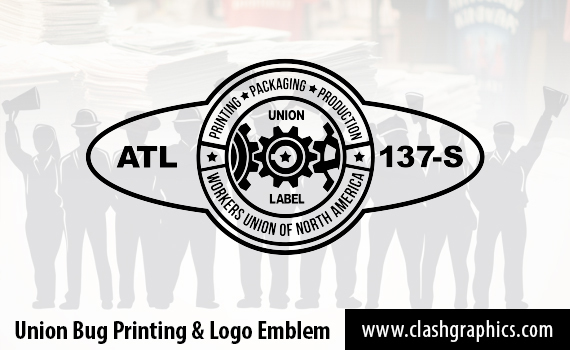
union bug logo for printing and manufacturing

Union Bug Key Takeaways

  • A union bug logo is an emblem that indicates products are made under fair labor practices, ensuring worker rights are respected.

  • The historical significance of union bugs highlights the ongoing struggle for ethical manufacturing and the need to support genuine union-made goods.

  • Verifying the authenticity of union printers and their products is crucial to avoid counterfeit claims and ensure adherence to labor standards.

What is a Union Bug Logo?

A union bug is a small emblem that signifies products made by workers represented by a labor union. This emblem is typically found on printed materials and merchandise produced by union print shops, serving as a hallmark of fair labor practices and ethical manufacturing. The presence of a union bug assures consumers that the product was made under conditions that respect workers' rights, including fair wages and safe working environments.

Union bugs are often discreet in size to avoid disrupting the product's overall design, but their impact is far from insignificant. They help consumers identify union-made goods, attracting those who support fair labor practices and ethical standards. Selecting products with a union label reassures consumers that they support businesses prioritizing worker well-being.
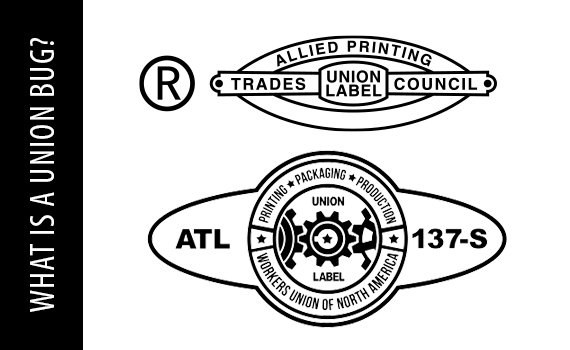
what is a union bug symbol representing union labor

Typically, a union bug is applied for free and includes identifiable information that consumers can trace back to the shop where it was created. This traceability is crucial in maintaining transparency and trust, ensuring that the claims of ethical production are legitimate and verifiable.

The Historical Significance of Union Bugs

The concept of the union bug has its roots in the late 19th century, emerging as a response to the labor movements of that era. As unions began branding their work with these emblems, they sought to promote products made by union labor and improve working conditions and worker rights. This period saw a significant increase in unionized printing, with many print shops joining unions to support the cause.

However, the landscape of unionized printing has changed dramatically over time, leading to a decline in the prevalence of union bugs. Despite this shift, the historical significance of union bugs remains a testament to the enduring struggle for fair labor practices and the importance of supporting ethical businesses and manufacturing.

Identifying Authentic Union Bugs

The existence of fake union bugs in a market where ethical claims are easily fabricated raises significant concerns. These fake union bugs can be difficult to distinguish from authentic ones, as they often lack traceable information that links them to legitimate organizations. This deception complicates identifying suppliers who genuinely uphold union standards, especially in a scam union bug.

Ensuring the purchase of genuine union-made products requires thorough due diligence. Look for identifiable details on the union bug that can be traced back to the specific print shop where the product was made. This traceability is a key indicator of authenticity and adherence to union standards.

Consumers should be cautious of print shops that promise union quality but fail to deliver. Extensive research and verification are necessary to avoid falling victim to scam union labels and ensure that the products you purchase are indeed made under fair labor conditions.

Why Union Bugs Matter for Ethical Manufacturing
ethical manufacturing processes involving union workers

Union bugs are more than just symbols; they signify adherence to minimum standards of ethical manufacturing and production in the USA.

Organizations that prioritize union-printed merchandise reflect their mission values through their promotional items. Including union bugs on products shows a commitment to ethical manufacturing, middle-class support, fair wages, and better working conditions for employees. This approach builds consumer trust while aligning the organization's values with its actions.

Building long-term partnerships with union print shops can help organizations maintain a reliable, ethical supply chain. These relationships ensure that the merchandise remains consistent with ethical standards, combating counterfeit claims of ethical production and reinforcing the importance of union bugs in promoting fair labor practices.

Common Products Featuring Union Bugs

Union bugs can be found on a wide variety of products, indicating that they were made under fair labor conditions and often in the USA. Common items that feature union bugs include t-shirts, campaign promo products, stickers, auto parts, and even parking tickets. These products serve as everyday reminders of the importance of supporting ethical businesses.

various printed products featuring union bug logo

Printed merchandise like t-shirts and stickers often display union bugs, signaling to consumers that they have been produced by union labor. However, it is important to verify the authenticity of these items, as some products, like stainless steel water bottles, may carry union bugs whose legitimacy can be questionable.

Benefits of Choosing Union Print Shops

Choosing union print shops offers numerous benefits, starting with supporting organized labor and ensuring that printed materials are produced with respect for workers' rights. Union print shops are staffed by highly skilled professionals, which often translates to higher quality in the printed materials.

Union print shops also benefit from collective bargaining power, potentially resulting in significant cost savings over non-union counterparts. These savings can make labor unions-printed merchandise an economically viable option while adhering to ethical labor standards. Additionally, union printers contribute to the overall quality and reliability of printed materials.

How to Verify a Union Printer

Verifying the legitimacy of a union printer is crucial to ensure compliance with labor standards and support fair wages. One of the first steps is to check for union labels on the printed materials, as these labels signify compliance with specific standards. A legitimate union printer should be able to provide documentation verifying their union status and adherence to labor standards.

Membership in recognized print unions is another important indicator. These unions often have specific criteria for affiliation, ensuring that their members meet high standards of ethical labor practices. Union bugs must include identifiable details that allow tracing back to the manufacturing site, providing transparency and accountability.

For additional verification, consult the union's official website or contact them directly to confirm a printer's union affiliation. This thorough approach helps ensure that the printer is committed to upholding union standards and producing ethically made products.

The Role of Union Bugs in Political Campaigns and Nonprofits

union bug in political campaign printed products

Union bugs play a significant role in political campaigns and nonprofit organizations by signaling a commitment to ethical standards and social responsibility. Using union-printed goods can enhance an organization's credibility and alignment with social justice causes, resonating with supporters who value these principles.

These emblems on merchandise also signal support for labor movements, enhancing the ethical image of political campaigns and nonprofit organizations. Whether promotional products for a campaign or fundraising items for a nonprofit, union bugs reinforce the organization's dedication to fair labor and ethical practices.

Challenges in Sourcing Union-Printed Merchandise

Sourcing union-printed merchandise can be a complex task due to the prevalence of fake union labels and the difficulty of finding legitimate goods. Scam labels complicate the search, making it harder to identify authentic products that meet union standards. Customized items like stainless steel water bottles often face suspicion because they are commonly produced overseas, raising questions about their union status.

Overcoming these challenges involves nurturing long-term relationships with reliable print shops. These relationships can facilitate the sourcing of authentic union-made goods, ensuring that campaigns and nonprofits can maintain their commitment to ethical merchandise.

Such relationships also help navigate the market's complexities, providing a consistent supply of ethically-made products that align with the organization's values and mission.

The Future of Union Printing
future of union printing

The future of union printing will likely be shaped by the integration of digital technologies, redefining traditional printing processes and labor roles. As the industry evolves, there is a growing trend towards personalized printing services, which can align with union principles by promoting individual worker rights and participation.

Collaborative partnerships with tech firms can further enhance union printing capabilities, combining advanced digital technologies with a commitment to labor rights. These partnerships can contribute to a more progressive future for union printing, ensuring that the industry continues to support values and best labor practices.

The combination of advanced technologies, personalized services, and collaborative efforts can pave the way for a more equitable future for union printing, benefiting both workers and consumers.

Union Bug Summary

Union bugs serve as powerful symbols of ethical manufacturing and fair labor practices. By understanding their historical significance, the benefits of choosing union print shops, and the challenges in sourcing authentic merchandise, consumers and organizations can make informed decisions that support fair labor standards.

As we look to the future, integrating digital technologies and collaborative partnerships promises to enhance the capabilities of union printing, ensuring that it continues to promote ethical manufacturing and support the middle class. Embrace the union bug as a mark of integrity and a commitment to a more just and equitable world.

Union Bug Frequently Asked Questions

What is a union bug?

A union bug is an emblem indicating that a product is made by workers who are represented by a labor union, which guarantees fair wages and working conditions. This symbol reflects a commitment to labor rights and standards.

How can I identify an authentic union bug?

To identify an authentic union bug, examine the details that link to the specific print shop and confirm the printer's union affiliation through their website and official channels. This verification ensures the legitimacy of the union bug on the product.

Why do union bugs matter for ethical manufacturing?

Union bugs are crucial as they signify that a product complies with fair labor practices, ensuring support for workers' rights and ethical manufacturing standards. Thus, they promote a commitment to social responsibility and equitable treatment of labor.

What types of products commonly feature union bugs?

Union bugs are commonly found on products such as t-shirts, postcards, stickers, auto parts, and parking tickets, signifying their production under fair labor conditions. These items reflect a commitment to ethical labor practices.

What are the benefits of choosing union print shops?

Choosing union print shops supports organized labor while ensuring high-quality printed materials and cost savings through collective bargaining. This commitment to fair labor practices can also enhance the reputation of your business.

Clash Graphics Print Shop Atlanta Flyer Printing
2233 Peachtree Rd NE Ste 202 AtlantaGA 30309
(678) 235-3464

To view the original version on Clash Graphics, visit: https://www.clashgraphics.com/printing-tips/union-bug-printing-logo/

Wednesday, January 24, 2024

Print Finishing Techniques

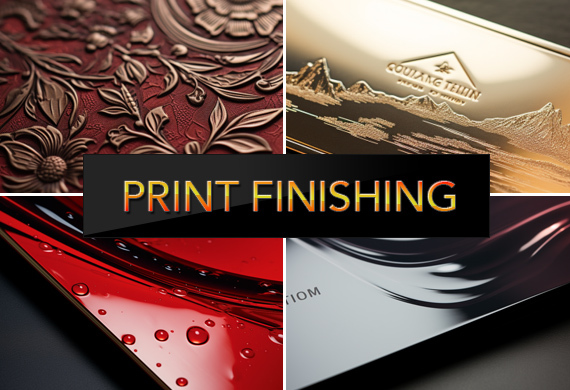
When it comes to print materials, finishing touches can make all the difference. Print finishing is that critical final step that adds beauty and resilience to your products. This article introduces you to the techniques that shape visual identity, protect against wear, and leave a professional mark. Dive in to see how the subtle art of print finishing can amplify the value of your print projects.

print finishing techniques

Key Takeaways

  • Print finishing techniques, like varnishing and embossing, add aesthetic and functional value to printed materials, elevating their look, feel, and durability.
  • Foil stamping creates luxurious, eye-catching metallic finishes with various foil types and requires specific equipment for precise application, offering visual and functional benefits.
  • Innovative print finishing methods, including die cutting, lamination, and precision folding, increase engagement by enhancing the tactile and visual experience of the audience.

Exploring the World of Print Finishing

Have you ever held a beautifully designed brochure and wondered about the hands that crafted its appeal? Those are the hands of print finishing techniques, skillfully enhancing printed materials through various processes like letterpress, varnishing, and thermography. Each method, whether glossy or matte varnishing or the tactile charm of letterpress, adds a unique touch to the printed surface, making it more visually appealing and functional.

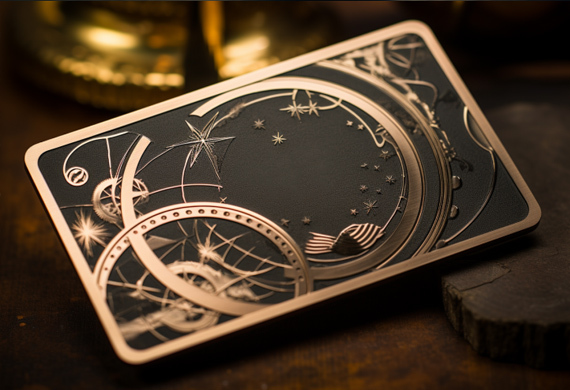
The beauty doesn't end there. Imagine adding a luxurious feel to your business cards or brochures with a soft touch coating that also protects against fingerprints and scuffing or pressing logos onto promo materials with a malleable metallic material, adding to the overall quality and visual appeal of the final product. From corporate stationery and packaging to magazine pages and invitations, print finishing techniques are beneficial to anyone aiming to create a memorable impression.

The Art of Foil Stamping

foil stamping equipment and metallic foils

Next, we delve into the art of foil stamping—a print finishing technique comparable to adorning a simple outfit with jewelry. Foil stamping applies a metallic material to the print surface with heat and pressure, creating a luxurious touch with a metallic finish.

Picture various magazine covers with text and logos beautifully highlighted in stunning metallic colors. The result? Your product stands out captivatingly, making it more eye-catching and attractive.

Types of Foil Used

Foil stamping offers a plethora of choices. From metallic and pigment to holographic and security foils, there's a foil for every creative vision. In addition to its visual benefit, the metallic foil printing is a pigmented metallic hot stamping foil that acts as a protective coating for the printed material, ensuring longevity and durability.

Beyond the traditional metallic foils, a world of innovation is waiting to be explored. Pigment foil, for instance, uses a distinct process for final production that enables you to achieve the desired outcome for your printed materials. On the other hand, holographic foils bring a diverse range of layers, creating an exciting and distinctive finish that's often utilized as an anti-counterfeiting feature.

Equipment Necessary for Foil Stamping

Effective foil stamping requires the proper tools. Essential equipment includes heated dies and specialized machines that work together to bring your vision to life. The array of heated dies used in foil stamping is as diverse as the results they produce, ranging from single-level to combination dies.

The hot foil stamping process relies heavily on a machine, where a heated die presses the foil against the substrate, creating the desired image or lettering. Whether manual or pneumatic, choosing a foil stamping machine can significantly impact the volume and quality of your output.

print finishing equipment including lamination, embossing, and UV varnish

Accessories and tools such as:

  • die holders
  • gauges
  • clamps
  • cutters
  • foil roll holders

can further enhance the performance of a foil stamping machine.

Benefits of Foil Stamping

Foil stamping's allure extends beyond mere visual appeal. It beautifully highlights specific features and adds a shiny, reflective effect to print materials, making them more appealing.

Moreover, it significantly enhances the durability of print products, making the design vibrant and intact through numerous washes and extended use, which is crucial in the print industry.

Die Cutting: Shaping Your Imagination

Imagine a world where you can cut out your dreams into tangible forms. Welcome to the world of die cutting—a technique that allows custom shapes and designs to be cut into print materials, making it possible to bring your creative visions to life.

Whether cutting out the outline of a logo for use as a hang tag for clothing or retail products, creating an interactive slide and reveal card, or making functional cuts for door hangers, die cutting plays a significant role in enhancing the visual and tactile experience of your printed materials.

Lamination: More Than Just Protection

lamination process enhancing printed brochures and postcards

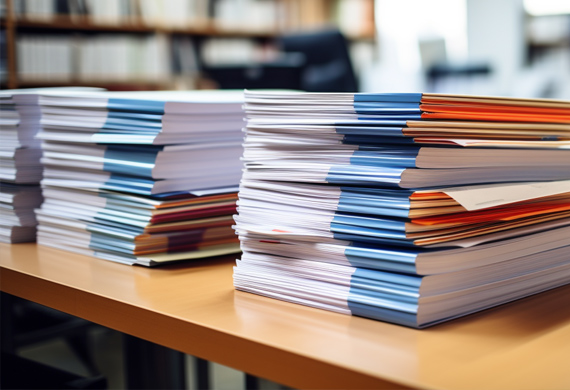
Lamination provides protection, durability, and an aesthetic boost. A protective layer not only improves sturdiness and water resistance but also enhances the color and quality of the design, adding a tactile, soft feel to printed materials. Think of it as a shield that guards your print materials while enhancing their appeal.

Whether it's business cards, brochures, or menus that see high-touch use or items requiring durability, such as posters, signs, and soft-covered books, lamination enhances their life and visual appeal. The choice of lamination type, from silk and matt to gloss, can further refine the look and feel of your final product.

UV Varnish: A Spotlight on Glossy Accents

Among print finishes, UV varnish acts as a spotlight, highlighting the star of the show. Applying a transparent finish to printed materials using the ultraviolet technique provides a smooth and glossy layer that enhances their look and value.

Spot UV varnish can add a beautiful glossy touch to specific areas of a flyer or business card, enhancing the overall design. This quick-drying and eco-friendly coating creates stunning glossy details, bringing out contrast and visual interest in the materials. Whether it's making bright images stand out more vividly or combined with other finishes for higher impact, Spot UV is a game-changer in enhancing the visual impact of printed materials. Some benefits of Spot UV varnish include:

  • Creating a high-end and luxurious look
  • Adding depth and dimension to the design
  • Protecting the printed piece from scratches and fading
  • Making certain elements pop and catch the viewer's attention

spot uv glossy varnish print finishing on a business card

Consider using Spot UV varnish in your next print project to elevate the visual appeal and make a lasting impression.

Embossing and Debossing: Textured Impressions

In addition to visual appeal, print finishing also enhances the tactile experience. Embossing and debossing techniques create textured impressions on printed materials, offering a sensory experience that leaves a lasting impression. With the help of print finishing equipment, these techniques can be efficiently applied to various projects.

Whether adding a distinctive touch to business cards or stationery or enhancing the perceived quality of materials, embossing and debossing are an integral part of a strong branding strategy. And when combined with other print finishing techniques like foil stamping, they can create a product with captivating visual and tactile appeal.

Precision Folding for Impactful Designs

A mere fold can morph a flat sheet of paper into an interactive and compelling design. Precision folding techniques, such as Half Fold, Z Fold, and Tri-fold, play a pivotal role in maximizing the visual appeal of brochures, booklets, and presentation folders, creating unique and interactive experiences for the audience.

Custom folds offer an affordable opportunity to infuse print materials with dimension and engagement, allowing for captivating reveal effects and interactive 3D shapes that elevate the reader experience. These folds thus significantly contribute to enhancing the printed design elements of a brand's marketing materials, making them more impactful and effective.

precision creased folding business booklet and brochure

The Importance of Quality Cutting and Creasing

Quality cutting and creasing are indispensable to achieve a polished and professional finish in print materials and books. Creasing creates a fold line in printed materials, making folding easier and more precise. It's akin to drawing a guideline for the paper to follow, ensuring straight and parallel folds.

On the other hand, cutting, supported by a die cutter, shapes the printed materials into custom forms, adding to the final touch of the print finish. Together, quality cutting and creasing form the backbone of a well-executed print finish.

Selecting the Right Print Finish for Your Project

Choosing the perfect print finish for your project mirrors selecting the right pair of shoes—it must align with your budget, complement your design, and be apt for its intended use. Print finishing refers to the process of adding these special touches like UV coating or embossing.

Your design plays a crucial role, too, as it has the potential to enhance the overall aesthetics, durability, and appeal of your printed materials. The intended use, such as the environment where the printed material will be exposed and the audience's characteristics, opens up opportunities to create durable, visually appealing, and high-performing finishes.

Printing Techniques to Enhance Branding

Branding transcends creating a visually appealing logo or a catchy tagline. It extends to how your printed materials feel in the hands of your audience and how they interact with them. Techniques like embossing, foiling, and die-cutting play a significant role in enhancing your brand's identity.

Foil stamping enhances the visual appeal of print materials by highlighting features such as:

  • logos
  • text
  • images
  • borders

This adds a touch of sophistication to your projects. Similarly, die-cutting enhances your brand's presentation in printed materials by giving them a unique and custom look, making marketing materials and cards more memorable.

Print Finishing Recap

From the glossy cover of a magazine that captures your attention to the intricate embossing on a business card that you can't help but feel, print finishing techniques breathe life into printed materials. Whether it's foil stamping, die cutting, lamination, or precision folding, each technique adds a unique touch and dimension to the printed surface, enhancing its visual and tactile appeal. As we enter a world where digital and physical experiences intertwine, these print-finishing techniques will continue to play a crucial role in creating memorable impressions.

Print Finishing Frequently Asked Questions

What is finishing in printing?

Finishing in printing refers to the actions performed on a print once the ink has dried. These techniques enhance the visual appeal and protection of the final product.

Why is print finishing important?

Print finishing is important because it gives the print a professional look, creates a lasting impression, and maximizes its value by offering a wide variety of finishes to accommodate any desires and needs.

What is digital print finishing?

Digital print finishing is any process applied to printed materials after they have been printed and can make a significant difference in the final product.

What print finishes can I use?

You can use print finishes like glossy, matte, and metallic to enhance the appearance of your printed materials. Choose the finish that best complements your design and product.

What are some print finishing techniques?

Some print finishing techniques include foil stamping, die cutting, lamination, UV varnishing, and embossing, which add a professional and polished look to your printed materials.


Clash Graphics Print Shop Atlanta Flyer Printing
2233 Peachtree Rd NE Ste 202 AtlantaGA 30309
(678) 235-3464

To view the original version on Clash Graphics, visit: https://www.clashgraphics.com/printing-tips/print-finishing-techniques/

Saturday, August 26, 2023

Understanding DPI for Printing - How Resolution Affects Print Quality

Have you ever wondered why your printed images don't look as sharp as they do on your computer screen? The answer lies in understanding DPI for printing, or dots per inch, and its impact on print quality. In this article, we'll delve into the fascinating world of DPI, debunk common misconceptions, and provide practical guidelines for optimizing your printing projects.

Short DPI Summary

  • DPI is essential for successful printing projects and should be considered alongside image resolution, file formats, and your printer type.

  • For marketing material print files, you should aim for a minimum of 300 DPI.

  • Image resolution, size, file format (lossless vs. lossy), and printer types all affect DPI & print quality.

  • Understanding the impact of these factors on DPI can help achieve optimal print quality without loss of detail or clarity.

Understanding DPI: The Basics

printed image with high resolution and good print quality

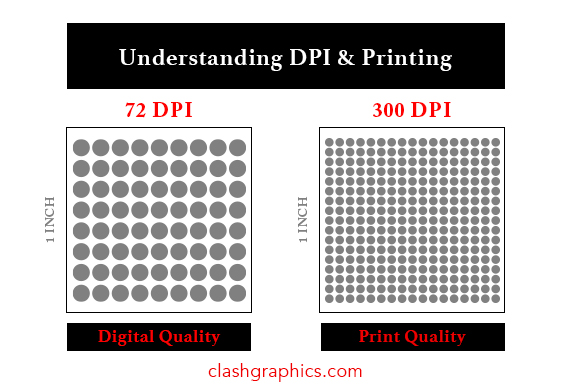
DPI, or dots per inch, is a crucial aspect of printing that determines the sharpness and detail of the final output. It's the measure of the density of dots in an image, which consequently affects its resolution and quality. But DPI is not the only factor that influences print quality – printer resolution, file formats, and printer types all play a role.

So, why is it important to understand DPI and its relationship with other factors? To achieve the best possible print results, especially when dealing with low-resolution images, it's essential to have a solid grasp of DPI and its implications.

Definition of DPI

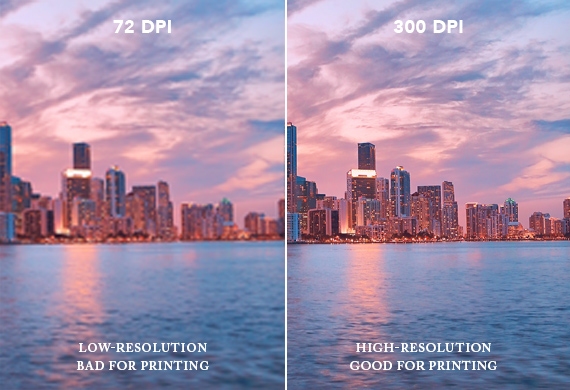
DPI stands for dots per inch, a measurement used to assess the clarity and detail of an image on paper or the sensitivity of a computer mouse. It is a significant factor when printing and designing, as it determines the resolution or quality of the image. A low DPI value creates blurry images when printed.

The importance of DPI in printing cannot be overstated. It is a measure of the dots density in an image. Selecting the right DPI value is vital for the success of any print project, as higher DPI values result in better print quality, while lower DPI values can lead to pixelated or blurry prints.

DPI vs. PPI

DPI and PPI are often used interchangeably, but the two have a key difference. DPI, or dots per inch, refers to the number of printed dots within one inch of an image printed by a printer. On the other hand, PPI, or Pixels Per Inch, denotes the number of pixels within one inch of an image displayed on a digital screen. DPI and PPI are vital when working with medium-resolution images to ensure optimal print quality.

The DPI and PPI values necessary for various print applications differ depending on the size and type of the print. For instance, marketing materials usually necessitate higher DPI and PPI values than large-format prints. Ensuring the correct DPI and PPI values are used can help prevent blurry images in the final print.

Importance of DPI in Printing

DPI is critical in printing as it determines the sharpness and detail of the final printed product. Generally, increased DPI yields improved quality. But it's not just about the DPI value; factors such as image resolution and size, file formats, and printer types contribute to the final print quality. For instance, converting RGB images to CMYK is essential for printing on a four-color printing press, as CMYK is the color space used in printing.

Resolution, or the number of pixels in an image, directly influences the sharpness and detail of the printed product. By understanding the importance of DPI and other factors, you can achieve the best possible print results for your projects.

Factors Affecting DPI and Print Quality

digital camera taking a high resolution image

To achieve the best possible print quality, it's essential to understand the factors that influence DPI and print quality. Image resolution and image size are two of the most important factors that influence print quality dpi. In this section, we'll discuss the impact of image resolution and size, file formats, and printer types on DPI and print quality.

Image Resolution and Size

Image resolution and size play a significant role in determining the final DPI and print quality. Image resolution is defined as the number of pixels in an image and has a direct effect on the print quality. Images with higher resolution will display more detail and will produce a higher quality print than images with lower resolution.

When working with images, it's important to consider the appropriate DPI for optimal print quality. Remember that increasing the size of an image does not increase its resolution. In fact, enlarging an image beyond its original resolution can result in pixelation, which leads to a loss of detail and quality in the final print.

File Formats: Lossless vs. Lossy

File formats play a crucial role in determining print quality. There are two primary file formats: lossless and lossy. Lossless formats, such as TIFF and PNG, retain all image data and yield a higher-quality print. Lossy formats, including GIF or JPEG files, compress the image data, resulting in a lower-quality print.

It's essential to choose the right file format for your printing needs. Lossless formats are recommended for printing to maintain color quality and contrast, while lossy formats may result in lower-quality prints. Keep in mind that smaller file sizes are beneficial for web use but may not be suitable for high-quality printing.

Printer Types: Inkjet vs. Laser

Printer types, such as inkjet and laser, can affect the final print quality. Inkjet printers are versatile and can produce quality prints with a wide range of DPI settings, making them suitable for various printing projects. However, the ink used in inkjet printers may cause seeping, which can reduce the dots per inch of a printed work.

On the other hand, laser printers are known for their speed and precision, making them suitable for high-volume printing with consistent DPI. Laser printers use a toner that does not seep into the paper, often resulting in a clearer image.

Likewise, professional printers ensure accurate DPI and color consistency. By carefully considering the type of printer best suited for your printing needs, you can achieve the best possible print quality.

DPI Guidelines for Different Print Applications

marketing material with high resolution and good print quality

In this section, we'll explore the DPI guidelines for various print applications, such as marketing materials, large-format prints, and photographs. By following these guidelines, you can ensure that your prints will look sharp and professional.

Marketing Materials

Marketing materials, such as brochures, flyers, and business cards, typically require a DPI of 150-300 for good print quality. The higher the DPI, the better the print quality will be, especially for small fonts, intricate barcodes, graphics, and photos. For smaller items or intricate design and detailed prints, 300 DPI is strongly advised.

Large-Format Prints

Large-format prints, such as posters, banners, and billboards, may require a higher DPI to maintain image quality at larger sizes. The DPI guidelines for large-format prints usually range from 100 to 300 DPI, with 300 DPI being the preferred resolution for optimal clarity.

When creating large-format prints, it's crucial to consider the DPI requirements and how they will affect the final print quality. By selecting the appropriate DPI for your large-format prints, you can ensure that your designs are impactful and maintain their quality, even when viewed from a distance.

Photographs

Photographs generally require a higher DPI for optimal print quality, often 300 DPI or more. The higher the DPI, the better the print quality will be, especially for images with fine details and textures. For professional magazine images or exhibition-quality artwork, a DPI of 600 or higher may be necessary.

By understanding the DPI requirements for photographs and selecting the appropriate DPI, your printed photos will be sharp, vibrant, and true to the original image. High-quality photo prints can make a lasting impression, serve as cherished keepsakes, or provide stunning artwork for your home or office.

Tips for Optimizing DPI and Image Resolution

scanned image with high resolution and good print quality

In this section, we'll provide practical tips for optimizing DPI and image resolution. By following these guidelines, you can achieve the best possible print quality for your projects, whether you're printing marketing materials, large-format prints, or photographs.

Scanning Techniques

Proper scanning techniques can help maintain high DPI and image quality for printing. When scanning images, be sure to choose the appropriate resolution or dots per inch (dpi) for your project. Start with high-quality images and select the appropriate file type, such as JPEG or PNG.

Preserving color and sharpness is essential, especially when scanning images that will be edited. To do so, saving the scanned images as lossless TIF or EPS files is advisable. Following these scanning techniques ensures that your printed images maintain their quality and detail, even when enlarged or printed at high resolutions.

Image Editing

Image editing software can be used to adjust DPI and resolution, but care must be taken not to degrade image quality. When resizing images, it's important to use TIF or EPS files, and consider the appropriate DPI.

Remember that increasing the size of an image does not increase its resolution. In fact, enlarging an image beyond its original resolution can result in pixelation, which leads to a loss of detail and quality in the final print.

When selecting a file type, such as JPEG or PNG, consider the content and quality requirements of the image. Additionally, so long as no further scaling up is done, you can utilize compression techniques to reduce the file size without significantly impacting the image quality.

Following these image editing tips ensures that your printed images maintain their quality and detail, even when resized or printed at high resolutions.

File Conversion: RGB to CMYK

visual representation of the RGB to CMYK conversion process with emphasis on dpi for printing

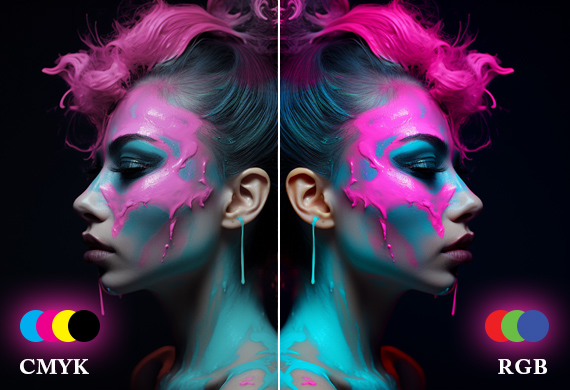
Converting digital images from RGB to CMYK is essential for accurate color reproduction in printing. RGB, or red, green, and blue, is the color space used for digital images displayed on screens. CMYK, or cyan, magenta, yellow, and key (black), is the color space used for printing on a four-color printing press.

To ensure optimal print quality, converting images from RGB to CMYK before printing is recommended. RGB and CMYK color profiles are completely different. This conversion ensures that colors are accurately reproduced on the printed page and helps to prevent color shifts or inaccuracies. By following this file conversion technique, you can achieve the best possible print quality for your projects.

Note: Another popular way to ensure color matching when printing is using pantone colors. The Pantone system is a collection of over 1100 different colors that are all labelled. When you find the specific color that's just right for your project, it has a name and a number assigned to it. Printers that use this system read these numbers and are able to recreate the color.

Common DPI Misconceptions and Pitfalls

In this section, we'll address common misconceptions and pitfalls related to DPI, including pixelation, overcompensation, and misunderstanding DPI values. By understanding these misconceptions and pitfalls you can avoid common mistakes.

Pixelation

Pixelation occurs when an image is displayed or printed at an inadequate resolution, causing individual pixels to become visible and resulting in a blocky or blurry appearance. This visual artifact is often seen in low-resolution or improperly rendered images, where the image is enlarged beyond its original resolution, leading to a degradation of detail and quality.

printed page with low resolution and poor print quality

To avoid pixelation, it's essential to work with the proper file types, high-resolution images, and ensure that they are resized appropriately for printing. By maintaining the correct resolution and DPI settings, you can achieve sharp, detailed prints without the unwanted effects of pixelation.

Overcompensation

Overcompensation refers to the practice of increasing DPI in software without improving the actual image quality. This can lead to a lack of detail and clarity in the final print, as the software merely alters the size of the dot without increasing the resolution of the image.

To avoid overcompensation, it's essential to work with high-resolution images and ensure that they are resized appropriately for printing. Additionally, be aware of the actual resolution of your images. Avoid lower-resolution images, and refrain from artificially increasing DPI values that may result in poor print quality. Considering what royalty-free images cost, it's a wise investment to opt for high-quality images and avoid low-resolution image usage to ensure optimal results.

Misunderstanding DPI Values

Misunderstanding DPI values can lead to poor print quality or unnecessarily large file sizes. It's a common misconception that higher DPI values always lead to improved print quality. However, the DPI value is just one of the many factors that affect print quality, and simply increasing DPI in a software may not result in better prints.

To avoid misunderstandings and pitfalls related to DPI values, it's crucial to have a solid grasp of DPI, its relationship with other factors, and its impact on print quality.

How to Choose the Right Printer for Your DPI Needs

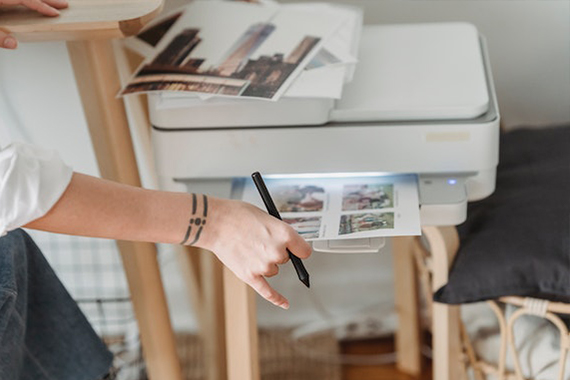
printer printing a high resolution image

Choosing the right printer for your DPI needs is essential for achieving optimal print quality. In this section, we'll discuss factors to consider when choosing the right printer for your needs. These include considering inkjet or laser printers, and selecting the best printer for your specific job.

Inkjet Printers

Inkjet printers are versatile and can produce high-quality prints with a wide range of DPI settings, making them suitable for various printing projects. These printers utilize liquid ink to generate printed documents and are generally more affordable to acquire. However, the ink used in inkjet printers may cause seeping, which can reduce the dots per inch of a printed work.

When selecting an inkjet printer, consider factors such as print volume, desired DPI, and budget. Inkjet printers are affordable and work for printing high-resolution images, making them a popular choice for independent photographers and graphic designers.

Laser Printers

Laser printers are renowned for their speed and precision, making them suitable for high-volume printing with consistent DPI. These printers use a toner that does not seep into the paper, resulting in a clearer image. Laser printers may have a higher initial cost but usually have a lower overall cost of ownership, making them a popular choice for businesses and offices.

Consider factors such as print volume, desired DPI, and budget when selecting a laser printer. Laser printers are ideal for printing text and graphics, making them a popular choice for office documents and marketing materials.

Selecting the Best Printer for Your Needs

When selecting a printer to meet your DPI requirements, factors to consider include the type of project, resolution, cost, size, and ink or toner type. Basic printers typically provide a sufficient resolution for most documents, while photo printers are designed to produce high-quality prints.

By carefully considering the type of printer best suited for your printing needs, you can achieve the best possible print quality and DPI. Whether you're printing marketing materials, large-format prints, or photographs, understanding DPI and selecting the right printer will ensure that your projects look stunning and professional.

Summary

In conclusion, understanding DPI and its impact on print quality is crucial for the success of your printing projects. From differentiating between DPI and PPI to selecting the right printer and optimizing image resolution, this article has provided practical guidelines to help you achieve the best possible print quality. Avoiding DPI misconceptions and your printed materials will be sharp, visually appealing, and make a lasting impression on your target audience.

Frequently Asked Questions

Is 300 or 600 DPI better for print?

For prints, 600 DPI offers higher resolution and thus better quality results, while 300 DPI is sufficient and works for many print projects.

Should I print 72 or 300 DPI?

For the best print quality, you should print your image at 300 DPI for crisp and clear results.

A lower resolution of 72 PPI will appear pixelated and blurry.

What is the difference between DPI and PPI?

DPI is a measure of printed dots per inch, while PPI is a measure of pixels per inch, making them useful for different types of images.

What factors affect DPI and print quality?

DPI and print quality are largely determined by the resolution of the image, the file format used, and the type of printer employed.

Different printers have different capabilities, so it's important to understand their differences. For example, inkjet printers are capable of producing higher-resolution prints than laser printers. Additionally, the type of paper used can also affect the print quality.

How can I optimize DPI and image resolution?

Optimizing DPI and image resolution can be achieved by employing proper scanning techniques, using image editing applications, and converting RGB files to CMYK.

Clash Graphics Print Shop Atlanta Flyer Printing

2233 Peachtree Rd NE Ste 202 AtlantaGA 30309
(678) 235-3464

To view the original version on Clash Graphics, visit: https://www.clashgraphics.com/printing-tips/understanding-dpi-for-printing-how-resolution-affects-print-quality/

Monday, May 29, 2023

Types of Printers - Pros, Cons, and Uses

Need help determining what type of printer will best serve your business needs? Knowing what types of printers are available will help you acquire the right one for your printing volume and quality.

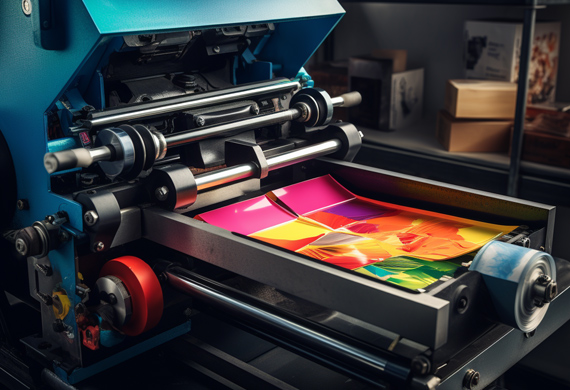
types of printers print press run

clashgraphics.com gathered information about printer types, their advantages and disadvantages, and their specific uses.

Different Types of Printers

Printers are an essential component of modern-day offices and homes. They are available in various types and sizes, each designed to fulfill different printing needs. Computer printers have evolved, with the most common types of printers are inkjet, laser, solid ink, continuous ink, LED, dot matrix, and A3 printers. Consider the following printer types, their principal use, advantages, and disadvantages:

1. Inkjet Printers

inkjet-printer

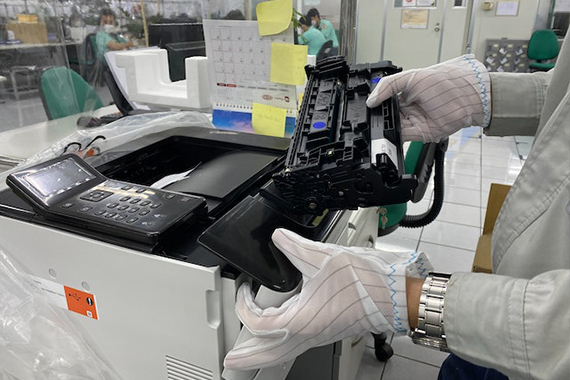
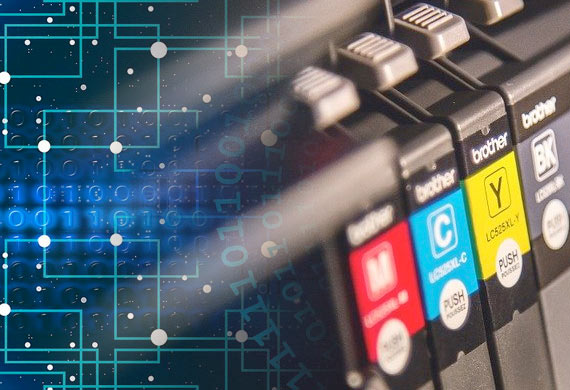
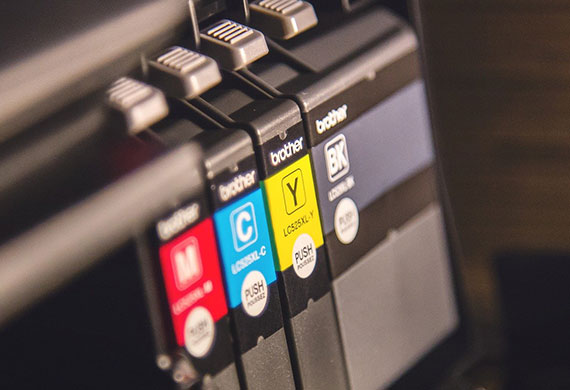
Inkjet printers utilize ink cartridges to create images and text on paper. They are ideal for printing high-quality images, photos, and color documents. Inkjet printers are used in homes and small offices for printing documents, graphics, and photographs. They are very affordable and easy to use.

Advantages

  • Affordable price
  • Produces high-quality printing
  • Can print on various paper types, including photo paper
  • Excellent for printing images and graphics

Disadvantages

  • Ink cartridge replacements can be expensive
  • Ink may smudge on certain paper types
  • Ink may fade with time and light exposure

2. Laser Printers

laser printer

Laser printers use toner cartridges to print text and images on paper. They are ideal for printing large volumes of office documents quickly and efficiently. They are used in offices and businesses that require high volumes of printing.

Advantages

  • Fast printing speed
  • High-quality text printing
  • Lower cost per page than inkjet printers
  • Good for printing documents

Disadvantages

  • Expensive initial cost
  • Capable but not suitable for printing images and graphics
  • Limited paper types, cannot print on glossy photo paper

3. Solid Ink Printers

Solid ink printers utilize solid ink sticks instead of liquid ink cartridges. They are ideal for printing high-quality color documents, graphs, and images. They are used in businesses that require high-quality color printing.

Advantages

  • High-quality color printing
  • Cost-effective for printing high volumes of color documents
  • Excellent for printing images and graphics

Disadvantages

  • Elevated initial cost
  • Not suitable for black-and-white documents
  • Limited paper types, cannot print on glossy photo paper

4. Continuous Ink Printers

Continuous ink printers use sizable ink tanks instead of smaller ink cartridges. They are ideal for printing documents and images in high volumes. They are typically used in businesses that require a high volume of printing.

Advantages

  • Low cost per page
  • Can print high volumes of documents and images
  • Excellent for printing images and graphics

Disadvantages

  • Expensive initial cost
  • Ink can dry out if not used regularly or properly
  • Limited paper types, cannot print on glossy photo paper

5. LED Printers

LED printers use LED technology to produce images and text on paper. They are similar to laser printers but are more affordable and use significantly less power. These printers are ideal for printing text documents quickly and efficiently.

Advantages

  • Rapid printing speed
  • Significantly low energy consumption
  • Lower cost per page than laser printers

Disadvantages

  • Limited paper types, cannot print on glossy photo paper
  • Not recommended for printing high-quality images and graphics
  • Elevated initial cost

6. Dot Matrix Printers

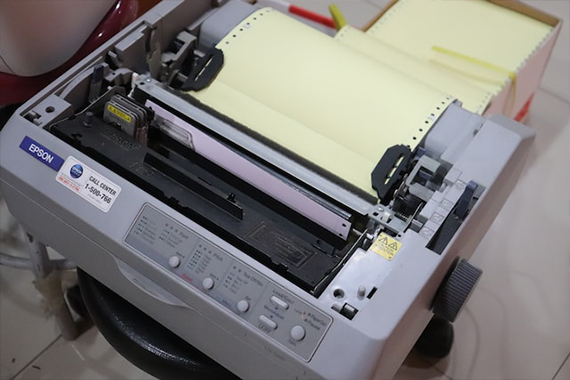
dot matrix printer

Dot matrix printers utilize pins that strike an ink ribbon, creating dots that form images and text on paper. They are ideal for printing multi-part forms and invoices. They can print on continuous paper and make clear and legible carbon copies.

Advantages

  • Prints on multi-part forms and carbon copies
  • Affordable price
  • Long-lasting, reusable ink ribbons
  • Suitable for printing in harsh industrial or factory environments

Disadvantages

  • Low-quality printing
  • Slow printing speed
  • Limited resolution
  • Inconveniently loud and noisy

7. A3 Printers

A3 printer

A3 printers are designed to print on larger paper sizes (up to 11 x 17 inches). These printers are ideal for producing large documents, posters, and brochures. They are typically used in offices, graphic design studios, and print shops.

Advantages

  • Prints on larger paper sizes
  • Ideal for printing posters and large or oversized documents
  • High-quality printing
  • Suitable for printing marketing materials, like brochures

Disadvantages

  • Elevated initial cost
  • Significantly larger size and heavier weight than standard printers
  • Consumes more ink and toner than standard printers
  • Limited paper types, cannot print on glossy photo paper in several models

Each type of printer has advantages and disadvantages, and choosing the right one for your needs depends on your business niche requirements. Consider factors like the document types you will be printing, the printing volume you will be doing, and your budget when selecting a printer.

Printer Types

The future of printing will be exciting, but in this article you discovered the different types of printers, pros and cons, and how they are best suited for office use.

Determining which printer type best suits your business’s needs will help you produce the printed material you require more quickly and efficiently.

Not acquiring the right printer for your office will leave you incapable of producing high-quality and accurate printed material to meet your needs.

Sources:
kb.iu.edu/d/agta
codingmarkingdigest.org/solutions/continuous-inkjet-printer-advantages-and-disadvantages/
atikaschool.org/kcse-computer-studies-questions-and-answers-836310/state-advantages-and-disadvantages-of-laser-printers
ledlights.org/FAQ/What-is-an-LED-Printer.html
lerablog.org/technology/hardware/which-printer-should-i-buy-inkjet-laser-or-led/

Clash Graphics Print Shop Atlanta Flyer Printing

2233 Peachtree Rd NE Ste 202 AtlantaGA 30309
(678) 235-3464

To view the original version on Clash Graphics, visit: https://www.clashgraphics.com/printing-tips/types-printers-pros-cons-uses/

Wednesday, June 17, 2020

The Future of The Printing Industry

Not knowing where the printing industry is heading can put you at a disadvantage. Despite the explosion of online marketing and social media advertising, the printing industry is evolving but continues to be vibrant.

Future of the printing industry mixes traditional methods with technological advancements in paper ink and machinery

Clash Graphics gathered information about the future of the printing industry, what has happened over past decades, and new strategies and technologies driving it to remain relevant.

The Future of Printing

Making predictions is a risky business. However, there are three areas that top printers are embracing to remain profitable and relevant as technology and consumer trends change. Those areas are:

Innovation/Diversification - Through mergers, companies streamlining their processes, technological advancements, and changing market demands, only the printers that adopt new technology and transition from traditional print to more of a “communications company” will survive.

Digital Technology - In the future, print will remain relevant because of its reliability in driving an audience online. Ultimately, people like to hold printed objects. Through this tactility, marketers will undoubtedly continue to integrate print with digital technology.

Custom Print - The days of printing massive numbers of flyers, brochures, etc. to cover as many people as possible, are coming to an end. In today’s market, smaller, more customized runs that target specific customers and demographics are on the rise.

To grasp an idea of how printing has evolved over the years, read clashgraphics.com/printing-tips/how-many-types-of-printing/

What Happened to The Printing Industry?

For more than two decades, the printing industry endured a significant reduction in business volume, manpower, and, subsequently, revenue. This occurred due to the increases in business workplace technology (PC’s, software, etc.) and onsite printing capabilities (inkjet, laser, etc.). Other factors include:

Future of the printing industry and in office equipment for marketing and advertising development

  • Online direct marketing
  • Social media advertising
  • Increasing paper costs
  • Increased ink and supply costs
  • Postal rate uncertainties
  • “Paperless” initiatives
  • Healthcare cost increases
  • Increased cost for related support services

According to the Bureau of Labor Statistics (BLS), employment in the printing and related support activities industry (bookbinding, graphic design, data imaging, etc.) are expected to decline by roughly eighteen percent between 2016 and 2026.

Also, from BLS, continued loss of the market share to other media and continued automation causes net employment to decline in the future. But this is happening at a much slower pace than in recent years. In the decade between 2006 and 2016, the industry had declined by about thirty-four percent.

In contrast to BLS information, the Printing Industries of America (PIA) forecast a one to two percent increase in revenue from 2019 to 2020 and printers’ profits, are to sustain historic growth levels.

Changes in the Printing Industry

To compete with internet and social media marketing strategies, the printing industry has had to consolidate and diversify to remain both relevant and profitable. Services that were once third-party “related support activities” are now being integrated and offered in house.

Further defying BLS predictions, the majority of printers have adjusted their business models to account for changing industry trends and realities. Types of products that continue in demand include:

  • Direct mail
  • Menus
  • Specialty printing
  • Large format
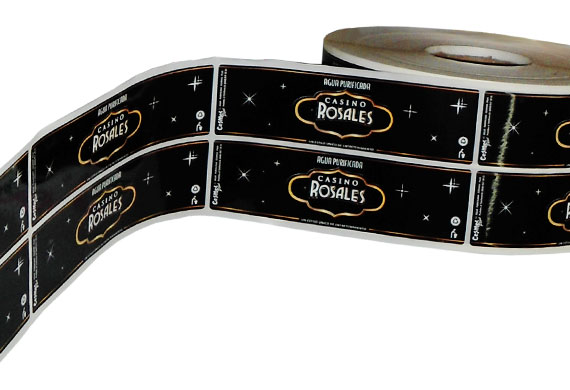
  • Labels
  • Brochures
  • Business cards
  • Packaging
  • Promotional products
  • Product/Point-of-purchase displays

Future of the printing industry and large format print to continue meeting marketing and business needs

Some of the services that many printers have brought in-house include:

  • Kit fulfillment
  • Professional creative/graphic design
  • Web-to-print (documents, marketing, brand management)
  • Logistics management
  • Marketing development
  • Custom website creation and curation

For many printed products, like packaging, a substitute does not exist. For others like magazines, newspapers, books, and store catalogs, there are electronic equivalents. The internet, mobile technology, and tablet publishing have had a significant impact on the printing industry. However, once again, the statement that “print is dead” grossly overlooks key advantages of printed communication. Consider the following:

  • Printed material allows for easy distribution to a specific region or target market
  • Various printed publications maintain a level of popularity unrivaled by online/electronic media
  • Printed media are often more engaging than electronic equivalents
  • Printed material continues to produce positive results in marketing strategies and campaigns

With today’s online and technological capabilities, printers can assist a business from project creation to project completion, even distribution. As well, their consultants can help businesses build their brand and develop a comprehensive marketing strategy.

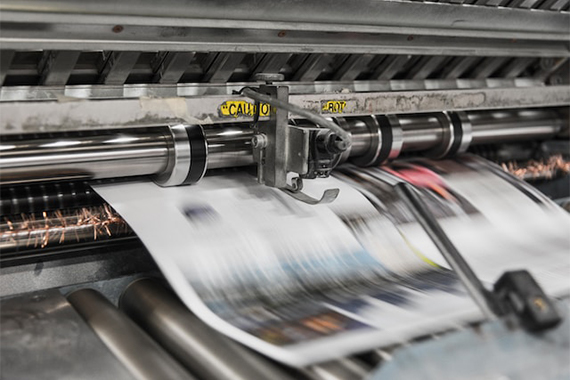
Future of the printing industry icludes printed material like newspapers magazines and easily circulated marketing products

Printing Technology

Significant advancements in technology have had an incredible influence on the printing industry. The following are just two of the printing technology trends making an impact on the industry:

Sustainable Packaging - Environmental concerns and high demand for recycled material have prompted the printing industry, specifically the packaging industry, to seek drastic changes in the form of:

  • The use of recycled paper
  • The use of flexible, biodegradable plastics
  • Using folding, collapsable, and reusable boxes
  • Using eco-friendly alternative ink when printing

By using friendly printing technology and techniques, the industry can improve biodegradability, recycling, and the use of sustainable raw materials.

3D Printing - The applications of 3D printing has gained significant interest in recent years. Some of the industries already implementing 3D printing include:

  • The Health Industry (printing skin for grafts and researching how to print organs)
  • The Food Industry (restaurant chefs use this technology to improve plating and design some foods)
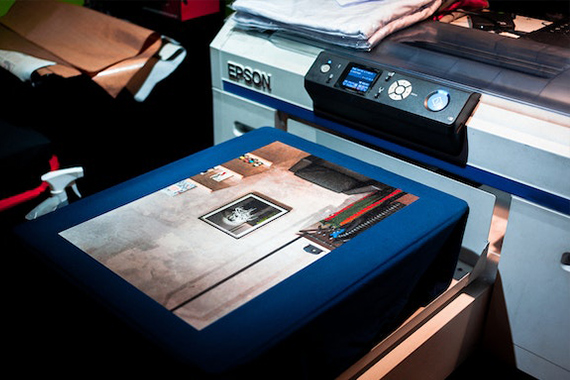
  • The Fashion Industry (big brands use 3D printing in sneaker and t-shirt production among other applications)
  • The Architecture Industry (3D printing is widely used to create precise scale models and has been used to build/print full-size structures)

As new technologies are applied to the printing industry, machinery, systems, and raw materials become more efficient, sustainable, and in demand.

Future of the printing industry includes innovations and applications in 3d print

The Future of Printed Media

In this article, you discovered the factors influencing the future of the printing industry, what has affected it in the past, and the technology driving it forward.

By embracing new technology, a streamlined way of meeting customer needs, and offering diversified products and services, the printing industry has remained robust and relevant through the digital revolution.

Those that have failed to incorporate new technology and business strategies have either gone out of business, been absorbed by other companies, or are finding it more and more challenging to keep their doors open.

Sources:
qualityinfo.org/-/technology-reduces-employment-in-the-printing-industry
printing.org/press-room/printing-industries-of-america-to-bureau-of-labor-statistics-print-is-still-here-were
bls.gov/iag/tgs/iag323.htm
scholarworks.rit.edu/cgi/viewcontent.cgi?article=1048&context=books


Clash Graphics Print Shop Atlanta Flyer Printing

2233 Peachtree Rd NE Ste 202 AtlantaGA 30309

(678) 235-3464

To view the original version on Clash Graphics, visit: https://www.clashgraphics.com/printing-tips/future-of-printing-industry/

Tuesday, May 19, 2020

How Many Types of Printing Are There

Avoid wasting your time and money on a bad print job. By knowing what types of printing are available to you, you can achieve stunning results on your next print project.

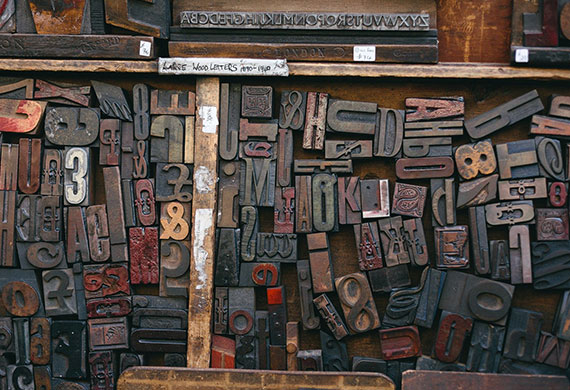
Wood printing blocks used in presses

Clash Graphics gathered information on 7 forms of printing to help you make informed decisions when selecting the right type of printing for your next print job.

Flexography

Flexography, sometimes called flexo, is an updated version of letterpress printing. This method of printing can be used on almost any type of substrate, including:

• Label stock
• Fabric
• Metallic film
• Corrugated cardboard
• Cellophane
• Bags
• Product packaging
• Plastic

Flexography used to print on various substrates

Flexography prints from a flexible printing plate that is wrapped around a rotating cylinder.
The process uses quick-drying, semiliquid inks transferred to the printing plate by rotating cylinders.

Offset Lithography (Offset)

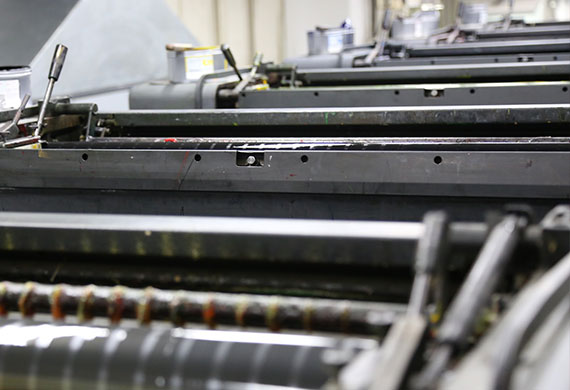
Offset printing uses plates, frequently made from aluminum, which are used to transfer an image onto a rubber "blanket", and then rolls that image onto a sheet of paper. It's called offset since the ink is not transferred directly to the paper. Since offset presses run so efficiently once they are set up with plates and colors, offset printing is one of the best choices. Especially when more significant quantities are ordered, and provides accurate color reproduction and professional looking printing.

Offset printing uses a plate to transfer an image to a rubber blanket to roll the image onto paper

Digital Printing

Digital printing disposes of the need for plates, but instead uses toner for smaller printers and sometimes liquid ink in larger digital printers. Digital printing outperforms other types of printing when lower quantities are needed. Another benefit of digital printing is its flexible data capability. When each printed unit requires a unique code, name, or address, digital is the superior option.

Digital printing uses ink or toner to produce images from digital files

Read about the advantages and disadvantages of digital and offset printing at clashgraphics.com/printing-tips/digital-vs-offset-printing-explained/

Screen Printing

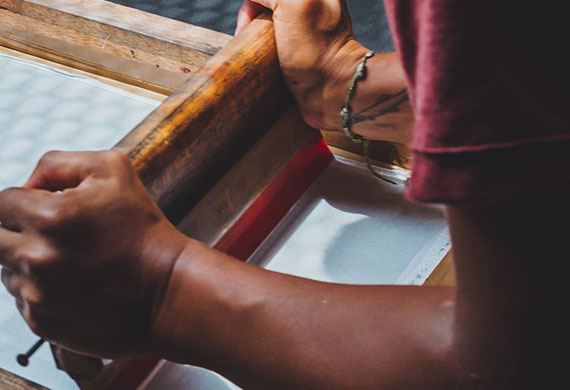
Screen printing is a technique in which mesh is used to apply ink onto a substrate, except in specific areas made impenetrable to ink by a blocking agent. A squeegee is moved across the screen to fill the open mesh with ink. A reverse stroke causes the screen to make contact with the substrate momentarily. Contact from the reverse stroke causes the ink in the mesh to wet the substrate and be pulled from it as the screen lifts off of the substrate. Only one color is applied at a time, so to produce a multicolored product, a single screen must be produced for each color.

Screen printing is a process which allows the application of one color at a time using a screen and squeegee

Find out more about screen printing at clashgraphics.com/printing-tips/screen-printing-heat-transfer-direct-to-garment-custom-t-shirts/

Wide-Format Printing

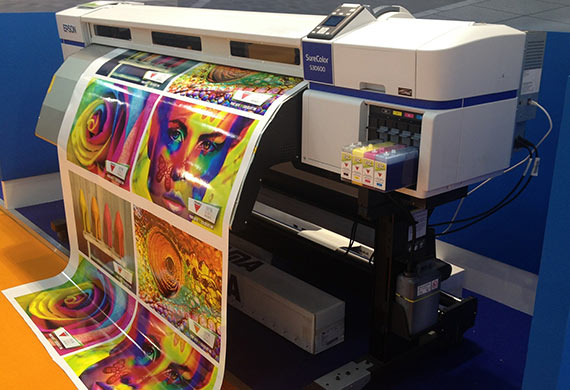
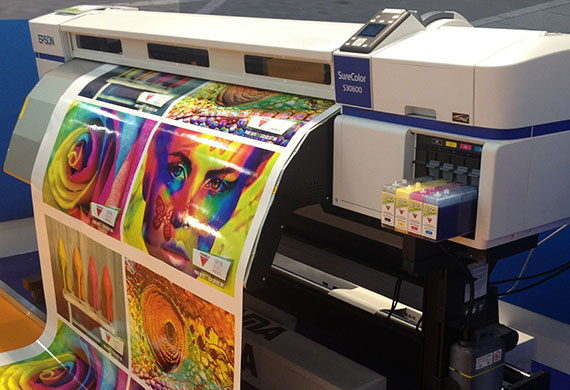
Large or wide-format printing is a medium that has been growing in popularity for advertising. Its purpose is to support maximum print roll width. The advantage of this type of printing is the ability to work with a bigger area. Wide-format printing can be used to produce banners, posters, murals, wallpapers, and billboards. This printing type is ideal for projects that require wide images, large texts, and visual or graphic-heavy designs.

Wide format printing allows for the easy creation of banners posters wallpaper and billboards

3D Printing

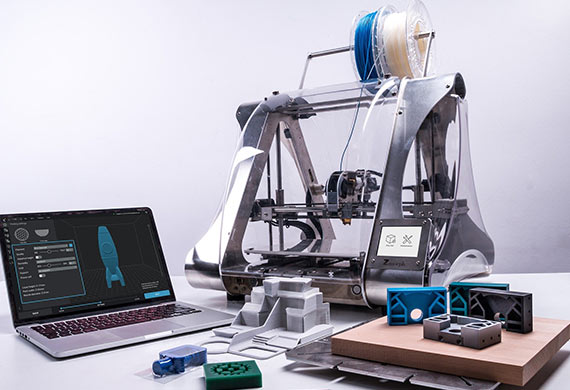
3D printing, also referred to as additive manufacturing, is the process of making a three-dimensional object from a digital file. 3D printed objects are made using an additive process. An additive process means that an object is created/formed by applying successive layers of material until the object is finished.

3D printing to make three dimensional objects from a digital file

LED UV Printing

In traditional printing types, inks are typically solvent-based and dry as their chemical components evaporate. LED-UV inks dry (cure) instantly using a UV light.

The difference between UV and LED-UV is the light used to cure the ink. LED-UV generates an energy wavelength from light-emitting diodes (LED) entirely used to cure the ink. Traditional UV produces an energy wavelength from a mercury-vapor bulb that is less efficient, as only part of the wavelength is used to cure inks and/or adhesives.

LED UV printing cures ink instantly during the print process

Defining Your Print Project

Once you have determined which printing type fits your project best, your next determination should be the type and quality of the substrate or paper. For more detail about paper types and qualities, visit clashgraphics.com/printing-tips/paper-quality-and-type/

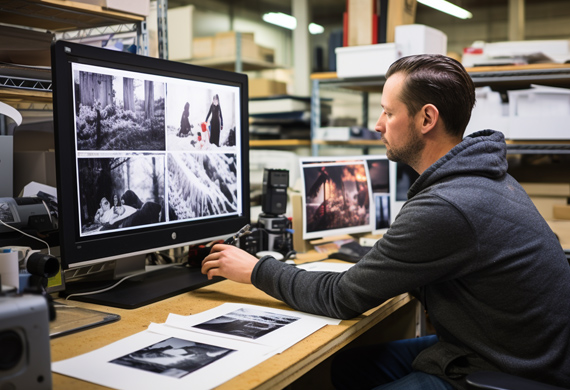
Regardless of how many times you’ve proofed your project before sending it to your professional printer, always request a prepress proof. A prepress proof allows you to see what the finished product will look like and allow last-minute adjustments in color and print.

Prepress proofs allow you to detect imperfections and needed corrections before a print run

Types of Printing

In this article, you discovered information about 7 types of printing and how to determine which one best suits your printing project.

By knowing what printing options are available to you, you can adjust your project as needed while being in full command of the end result.

When you are entirely reliant on others to produce your vision, you may lose valuable time and resources, waiting for them to get it right. If they ever do.

Sources:
web.tech.uh.edu/digitalmedia/materials/3350/Flexography.html
westga.edu/pubprint/offset-printing.php
printcopymail.umich.edu/copysvcs/digitalprinting.htm
wisegeek.com/what-is-screen-printing.htm
libguides.utk.edu/AVM3D_Print_Lib_Guide
flaar-reports.org/index.php/services/


Clash Graphics Print Shop Atlanta Flyer Printing

2233 Peachtree Rd NE Ste 202 AtlantaGA 30309

(678) 235-3464

To view the original version on Clash Graphics, visit: https://www.clashgraphics.com/printing-tips/how-many-types-of-printing/

Thursday, January 26, 2017

What is Pantone and How to Color Match When Printing

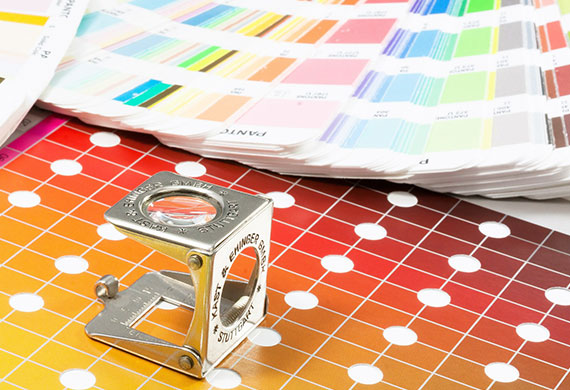
printing with pantone color matching systemPantone is, to put it simply, an American company that created an effective method of ensuring color match. Their name has become synonymous with this highly precise numbered color system. It’s so good, in fact, that it used in the majority of the printing companies throughout the industry. If you’re going to work in or with printing, then you need to be aware of Pantone colors and how you can benefit from it to ensure color match of your artwork, document and materials. Read this article to learn about using the Pantone system in printing or click here to contact a printing representative about specific color matching questions.
The Importance of Color Matching

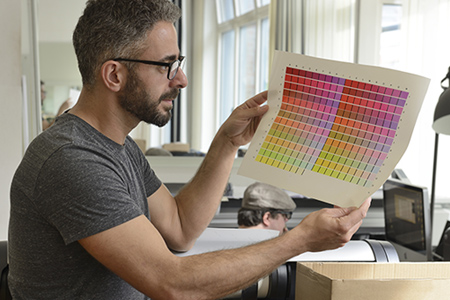
Color matching is very important in the printing industry. If you create something, or someone shows you something they created, you want it to print precisely as you’ve seen the proof don’t you? If you found that perfect shade of red you wanted, but then the printer used a fairly generic red then your whole job may be ruined or at least you may be disappointed. Color matching is important because it ensures that the image that you create is the same one that the printer creates and delivers to you. Sometimes that perfect color isn’t a generic one and you need something more unique. The Pantone system is filled with unique colors and many brands choose an exact number and color tone to represent their company.

How Does Pantone Help In Printing?

The Pantone system is a collection of over 1100 different colors that are all carefully labelled. When you find that unique color that’s just right for your project it has a name and a number assigned to it. Printers read these numbers and are then able to recreate the color exactly. If you tell a printer that you want a red then it’ll give you a red. If you tell the printer that you want a specific shade of red then you won’t get it unless the printer can recognize and identify it. Printers that run on the Pantone system recognize all the different shades and color tones, and are able to recreate them. This gives you perfectly matching colors every time and ensures the image on the printed-paper matches the same image on the computer.

How to Use the System in Design and Printing

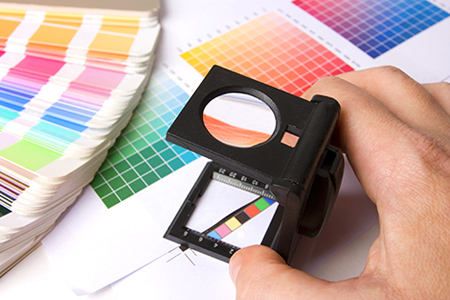
graphic designer matching pantone colorsThe Pantone system isn’t that difficult to use. You start by finding the exact color you want in the Pantone color palette and make a note of the number it is – ‘Red 199’ for example. If you’re the graphic designer commissioned by a client, you would then send a sample to the client so they can approve it. When you have their approval you create your artwork using this pantone color. Then send it off to a printer capable of utilizing the Pantone system.

The printing operator will then look up the mix that they need to make that specific color. Then they print out what it is you’re creating using the color and their sheets, guides, and chips to make sure that it’s perfect. When everything is said and done you have something printed that looks just how you intended in the design.

Using Pantone colors is essential if you want to ensure color-match printing. People in the printing industry will be expecting you to use it as a standard, so it’s vital to get used to it. There are tons of options, so enjoy the benefit of exact match colors, just try not to get lost in the extensive color palette!

Clash Graphics Print Shop Atlanta Flyer Printing

2233 Peachtree Rd NE Ste 202 AtlantaGA 30309

(678) 235-3464

To view the original version on Clash Graphics, visit: http://www.clashgraphics.com/printing-tips/what-is-pantone-how-to-color-match-when-printing/

Wednesday, December 21, 2016

What Is Document Bleed And How To Use It In Printing And Design

business card document bleedDocument Bleed is a concept in the printing world whereby you deliberately leave an element of your artwork or design (usually a picture) spilling over the edges of the document beyond the trim edge. When a document is prepared with bleed, it’s printed on a larger sheet of printing paper and trimmed down to the exact size. It sounds silly to deliberately do something like that, but there are positive uses and a reason for doing this.

Why Use Document Bleed?


The simple answer to why you should use document bleeds is that it’s a very effective cropping tool. Even if you place something right at the edge of a flyer, the printer is not one hundred percent precise, and leaves room for error and the potential to mess up your print. It’s actually far better to go out over the edge and let the printer off the excess surface area for you, rather than relying on the printer to use an already cropped image. If the printer messes up using your already cropped artwork you’ve lost time and money, whereas with bleed there is no real disadvantage or opportunity of loss. When setting up your printing files, be sure the bleed has been accounted for. To see the various flyer size options, click this link http://www.clashgraphics.com/categories/flyer-printing-in-atlanta.

There are mechanical reasons for using a bleed too. Printers tend to leave a tiny bit of white even with the most carefully arranged and cropped document. When you go over the edge with a document bleed there’s no room for error. The document is printed how it should be and you have a great looking piece of art or marketing material.

Partial Bleed vs Full Bleed


There are two different kinds of bleeds. A partial bleed is when only a few parts of the artwork component or image exceeds beyond the document. A partial bleed is useful when you only have an image in the corner, like on a business card for example. A full bleed is used when the design or background image covers the entire document and runs off of all side as. It’s used with flyers and posters. The type of bleed that you need to use depends on the purpose of your document. Just take a look at the colors, images and pictures you use and ask if you need a full or partial bleed.

How to Use it Properly


Of course using document bleed is still pointless if you don’t do it right. Go too far over the edge and you cut off important things. Don’t go far enough and you don’t get a bleed and still get that white gap at the edge. So how should you print off things with an effective bleed? It’s quite simple really.

The layout design or image manipulation programs you’re likely to use as a graphics designer, such as Photoshop, actually have built in bleed functions that can arrange this for you. If you use Photoshop then just start a new image and set the “full bleed” option to an eighth or quarter of an inch vertically and horizontally, depending on your printer specs, set your resolution to 300 pixels an inch, and your color mode to CMYK and you’re good to go.

You can use that basic principle with most layout and design programs like Illustrator and InDesign. They all have a bleed option functionality in document settings. Your basic bleed is a quarter of an inch on most print jobs, but smaller print materials may be an eighth of an inch. Check with your commercial printer. However, remember that this quarter of an inch section is not going to be printed and is used purely as the zone for cropping your artwork down to its exact size. So make sure there isn’t anything important in this area. That is the other part of using bleed properly; not putting anything you need in the bleed part of the document.

So the next time you create something that needs to print precisely, remember to use document bleed to ensure a high quality print and that your pertinent information or design isn’t cropped out.

Clash Graphics Print Shop Atlanta Flyer Printing

2233 Peachtree Rd NE Ste 202 AtlantaGA 30309

(678) 235-3464


To view the original version on Clash Graphics, visit: http://www.clashgraphics.com/printing-tips/what-is-document-bleed-and-how-to-use-it-in-printing-design/

Thursday, January 21, 2016

RGB vs CMYK and Why It's Important to Printing and Design

RGB CMYK Color Model Profile

When someone starts work in graphic design, or just enters that world, they run into something they might not have heard of before; CMYK. CMYK is a color model that is used a lot in the graphic design and printing industry. It’s different from the typical RGB mode that your home printer or computer monitor uses, and it’s important you understand the differences.

RGB vs CMYK


We’ll start by looking at what each printing style means before moving on to more difficult things. RGB is literally an acronym for “Red, Green, Blue” and CMYK is “Cyan, Magenta, Yellow, Black”, which for some reason is represented as “K”. The visible color spectrum is made up of the three primary colors of red, green and blue. These three colors combined make up pretty much every other color. So why choose CMYK? CMYK gives us more defined colors and gives us some better looking colors. So there are people who prefer to use CMYK over RGB, especially in commercial printing. You open yourself up to more possibilities by introducing the fourth factor.

Which Should You Choose?


Which one you choose is really up to you and the client that you’re working for. What is important to know is that there are some colors in RGB that a CMYK printer will have trouble with. If the printer that you’re working with is a CMYK one, it’s very important that the color mode you design in is also CMYK. The reverse is also true. If you’re working with an RGB printer you need to work with an RGB color profile. Failure to do so will result in poorer quality images and colors that just look wrong and do not match your design proof. Some printers and clients will insist that you work with CMYK, so listen to your client or pick the one that you think is best for your project. There is another aspect to this however; digital vs analog.

CMYK Printing vs RGB Printing


There is a noticeable difference between CMYK and RGB when you are printing things out physically. RBG work looks great on a computer monitor or handheld device, but CMYK looks better when printed. In fact almost every graphic design that will be printed physically will be printed using CMYK. This makes it very important that you work with CMYK, or at the very least convert any artwork that is to be printed into CMYK. The colors look better when printed than they would if they were RGB. So really that sums up which one you need to use when preparing marketing materials to be printed. If you are working entirely with digital art then you should use the RGB color mode. If you’re working with professional printed designs then you should use CMYK.

So there you have it. The basic difference between RGB and CMYK is the amount of colors and variants at your disposal. Which one you use depends on the purpose of your job and final use of the designed graphic. Digital graphics should be in RGB format. If your art is for a printed poster or something of that nature, then always work in CMYK color mode. Lastly, never let color mode converting ruin the way your graphics look by avoiding the converting process altogether and working with the right color mode from the get-go.

Photo Credit: http://www.amywaggs.com