Showing posts with label Atlanta Printing Company. Show all posts

Wednesday, April 17, 2024

What is Prepress?

What is prepress? It’s the unsung hero of the printing world, ensuring your digital designs are perfectly primed for print. This critical step transforms creative files into a print-ready format, ironing out any potential snags in image resolution, color fidelity, and layout that can affect the outcome. Let’s delve into how prepress makes all the difference before printing a single page.

prepress in printing

Key Takeaways

  • The prepress process is a critical stage in printing, during which digital files are prepared and optimized through rigorous checks, including proofreading, resolution adjustments, and color accuracy, to ensure they meet the printer’s specifications and are ready for printing.

  • Proofs are a vital part of the prepress process, serving as a preview to catch potential issues and ensure the final printed product will look as expected, with detailed attention given to color separations and layout, offering options between soft proofs for quick review or physical proofs for a more tactile experience.

  • Digital prepress technology has streamlined the prepress workflow, with advancements in automation and tools like CTP systems improving productivity and precision. Customizing this process is crucial to cater to different print projects and printing methods, such as digital versus offset printing.

Decoding the Prepress Process

The prepress process, also known as prepress, plays a pivotal role in the printing industry. It is a complex interplay of technology and expertise. Prepress acts as the bridge between creative conception and the physical act of printing, ensuring that the digital files are primed for a successful print run.
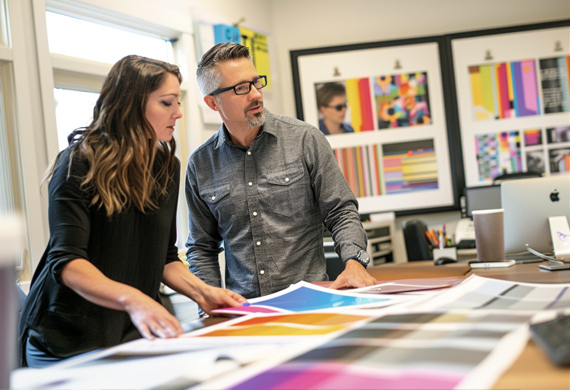
color matching management

The journey begins with the pre-flight stage, a crucial checkpoint where the artwork is subjected to rigorous validation. From resolution checks to color setups and layout element inclusion, every detail is scrutinized to align with the printer’s requirements. This meticulous optimization, including proofreading, image resolution adjustments, and color accuracy checks, is not merely a formality; it’s the foundation for excellence in printed materials.

Understanding File Preparation

File preparation, requiring meticulous attention to detail and strict adherence to a prepress checklist, forms the bedrock of the prepress workflow. A graphic designer engages in a strategic dance with pixels and vectors, sizing and cropping images, flattening layers, and conducting spell checks to ensure the graphics file is ready to transition from conception to print-ready form.

This dance continues as designers merge drop shadows, convert text blocks to outlines, and create the necessary crop marks that guide the final cut. This ensures that the file stands up to the scrutiny of the printing press and emerges as the envisioned final printed product.

The Importance of Color Management

Color management in graphic design can be likened to conducting a symphony, wherein each hue must strike the perfect note. Artificial intelligence lends a hand here, automating color management to ensure print consistency, batch after batch, a testament to the evolution of digital printing. The pantone system is a great tool for color matching, but not every printer offers or uses it. The color management process involves detailed steps like transparency flattening and color separation; each meticulously performed to create a color-accurate proof that accurately represents the final product.
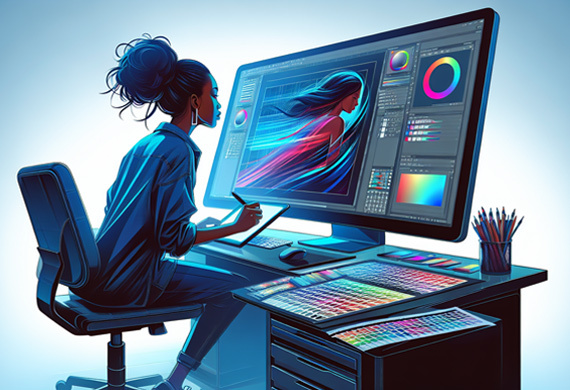
prepress process preparation

When it comes to offset press printing, customization entails:

  • preparing separate plates for each CMYK color

  • using pre-mixed Pantone inks for precise color matching

  • ensuring that the final print project reflects the original vision with stunning accuracy.

The Proofing Phase: Ensuring Client Satisfaction

Within the prepress workflow, the proofing phase serves as the guardian of quality and the predictor of client satisfaction. It is a critical juncture where the printing company and the client align their expectations, scrutinizing every detail to ensure mutual agreement on the anticipated outcome.

Proofs serve as the crystal ball of printing, offering a glimpse into the future by validating the appearance and placement of design elements before the printing press roars to life. This phase catches any lurking issues, ensuring that color separations, overprinting, and necessary elements are all in complete agreement and ready for the final print.

Soft Proofs vs. Physical Proofs

The contention between soft and physical proofs essentially boils down to convenience versus tangibility. Soft proofs, often in PDF format, offer a swift and cost-effective solution, allowing for a rapid review on computer screens and equally rapid electronic approval.

In contrast, physical proofs provide a tactile experience, allowing for hands-on examination of paper thickness, texture, and layout—a close representation of the final product that is especially crucial for projects with unique finishing operations like binding or special textures.

The Role of Printing Plates in Commercial Printing
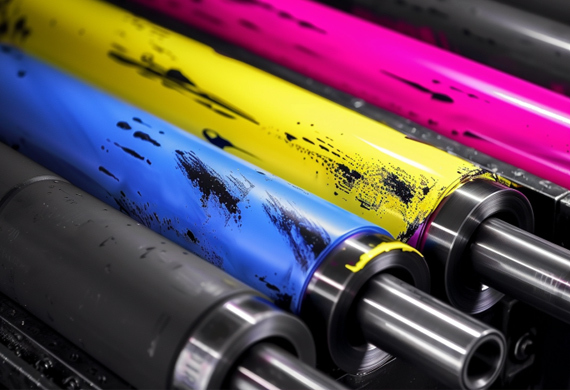
printing plates in commercial printing

The printing plate is a crucial component required for transitioning from digital files to the tangible sphere of commercial printing. In the time-honored offset printing process, these plates are the conduits through which the final design is transferred onto paper, a crucial step in the printing process.

Each color of the CMYK spectrum demands its own set of plates that are installed with precision into the printing press. Their durability and flexibility are tested against the rigors of thousands of impressions to ensure the successful print run of the final print project.

From Digital to Physical: The Plate-Making Process

Transforming digital art into physical printing plates involves a photomechanical process, wherein a photosensitive layer is exposed to light, imprinting the design onto the plate’s surface. The modern twist in this age-old process comes from Computer-To-Plate (CTP) technology, where laser engraving redefines precision by directly inscribing the design onto thermal plates.

Once the laser has done its work, a cleaning solution reveals the inked image, preparing the plate for its role in the press and paving the way for the final printed product.

Preparing for the Press: Final Steps Before Printing

final steps before printing

As the prepress stage approaches its culmination, a series of final checks and balances become the focal point. Here, physical proofs are meticulously examined, not just for their visual appeal but for the tactile sensations they convey—the weight and texture of the paper that will carry the final printed product into the world.

Special projects, with their unique demands for finishing operations, hinge on the accuracy of these proofs, making them indispensable for ensuring that the final product aligns perfectly with client expectations.

Final Checks and Balancing

The last mile of the prepress process is a testament to the attention to detail that defines the craft. Linguistic and graphic proofreading are the final guardians against errors, ensuring that text and visual elements are not just correct but resonate with the intended audience. At this stage, a trained prepress technician becomes the maestro, orchestrating the correct color modes and overseeing the final prepress checks.

Their expertise ensures the file is print-ready and that the final print project, with its well-crafted print layout, will emerge from the press as a true reflection of the designer’s intent.

Digital Prepress Technology: Streamlining the Workflow

Digital prepress technology has significantly transformed the landscape of the printing industry. What once involved laborious manual steps and endless back-and-forth is now a streamlined, efficient process, thanks to digital prepress technology.

digital prepress technology workflow

Innovations like the PlateRite series have transformed the prepress department of yesteryear. Their reliability has revolutionized the market and become a byword for precision in plate creation.

Advancements in Digital Automation

Digital automation has swept through the prepress process, bringing a surge in productivity and reduced errors. Technologies like EXILE’s thermal imagesetters and direct-to-screen systems exemplify cutting-edge advancements in reshaping prepress workflows.

Screen’s Equios solution, a beacon of automation, streamlines production steps, while cloud-based tools usher in a new era of collaboration, enabling remote teams to work in tandem on projects, enhancing both workflow and communication.

Tailoring Prepress for Different Print Projects

The prepress stage does not adhere to a one-size-fits-all approach. Different print projects, from the compact real estate of a business card to the sprawling canvas of a brochure, demand a tailored approach to ensure each print project meets its unique needs. Even within the seemingly narrow confines of a business card, a spectrum of creative possibilities exists, such as four-panel folded cards that double as miniature brochures, each requiring their own prepress customizations during the pre-press stage.

Customization According to Printing Method

The approach to prepress customization varies significantly between digital presses and offset printing. Digital presses offer a kaleidoscope of color options, making them ideal for small print runs and personalized projects.

Offset printing, conversely, is the workhorse of high-volume print jobs, where its initial setup costs are offset by its cost-effectiveness over large runs.

Insights from Industry Experts

As we enter a new era in the printing industry, experts highlight emerging trends such as artificial intelligence and cloud-based collaboration as catalysts of a revolution in prepress processes. These innovations promise to usher in an era of unprecedented efficiency and precision, minimizing costly mistakes and propelling the industry toward a future where imagination is the only limit.

The Prepress Summary

From the nuanced art of file preparation to the precision of plate making and the transformative impact of digital automation, the prepress process is a testament to the meticulous attention to detail that underpins the printing industry. As we’ve journeyed through the stages that ensure the translation of digital designs into stunning printed materials, it’s clear that prepress is the unsung hero of print production. The next time you hold a printed piece in your hands, remember the intricate ballet that made it possible and revel in the knowledge that the printed page is not just a product but a crafted masterpiece.

Prepress Frequently Asked Questions

These are the prepress questions frequently asked of our Atlanta printing team.

What is graphic prepress?

Graphic prepress is the process of preparing artwork for press, including media selection, proofing, quality control checks, and, if necessary, creating printing plates. It often involves working with print-ready PDF files provided by the customer.

What is the difference between prepress and pre-flight?

The main difference between prepress and pre-flight is that prepress involves setting up the design according to printer specifications. In contrast, pre-flight is the final check to ensure error-free files are ready for printing. Therefore, prepress focuses on design setup, while pre-flight ensures file readiness for printing.

What is the pre-flight stage in the prepress process?

The pre-flight stage in the prepress process involves validating artwork for resolution, color setup, and layout elements to ensure it meets printing standards.

How does color management affect the final printed product?

Color management is crucial for ensuring that the colors in the digital design are accurately reproduced in the final print, involving calibration, setting up color profiles, and detailed processes like color separation and trapping. It directly impacts the accuracy and quality of the printed material.

What is the difference between soft proofs and physical proofs?

The main difference between soft and physical proofs is that soft proofs are digital files viewed on a screen for quick review. In contrast, physical proofs are tangible samples that provide a more accurate representation of the final product. Digital proofs are cost-effective, while physical proofs allow evaluation of texture and layout.

Clash Graphics Print Shop Atlanta Flyer Printing
2233 Peachtree Rd NE Ste 202 AtlantaGA 30309
(678) 235-3464

To view the original version on Clash Graphics, visit: https://www.clashgraphics.com/printing-tips/what-is-prepress/

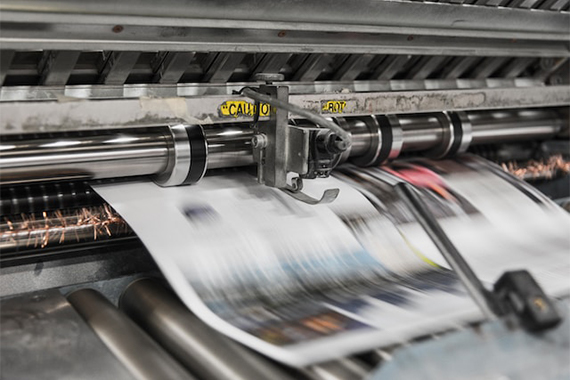
Monday, May 29, 2023

Types of Printers - Pros, Cons, and Uses

Need help determining what type of printer will best serve your business needs? Knowing what types of printers are available will help you acquire the right one for your printing volume and quality.

types of printers print press run

clashgraphics.com gathered information about printer types, their advantages and disadvantages, and their specific uses.

Different Types of Printers

Printers are an essential component of modern-day offices and homes. They are available in various types and sizes, each designed to fulfill different printing needs. Computer printers have evolved, with the most common types of printers are inkjet, laser, solid ink, continuous ink, LED, dot matrix, and A3 printers. Consider the following printer types, their principal use, advantages, and disadvantages:

1. Inkjet Printers

inkjet-printer

Inkjet printers utilize ink cartridges to create images and text on paper. They are ideal for printing high-quality images, photos, and color documents. Inkjet printers are used in homes and small offices for printing documents, graphics, and photographs. They are very affordable and easy to use.

Advantages

  • Affordable price
  • Produces high-quality printing
  • Can print on various paper types, including photo paper
  • Excellent for printing images and graphics

Disadvantages

  • Ink cartridge replacements can be expensive
  • Ink may smudge on certain paper types
  • Ink may fade with time and light exposure

2. Laser Printers

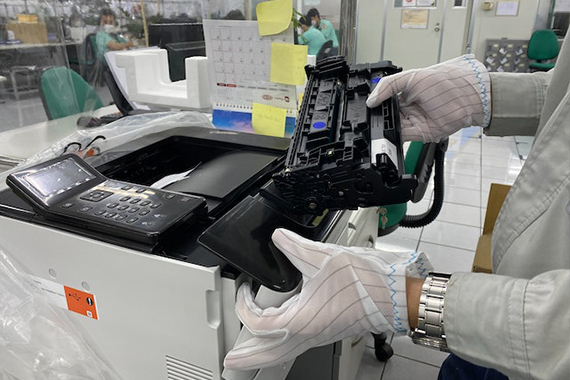
laser printer

Laser printers use toner cartridges to print text and images on paper. They are ideal for printing large volumes of office documents quickly and efficiently. They are used in offices and businesses that require high volumes of printing.

Advantages

  • Fast printing speed
  • High-quality text printing
  • Lower cost per page than inkjet printers
  • Good for printing documents

Disadvantages

  • Expensive initial cost
  • Capable but not suitable for printing images and graphics
  • Limited paper types, cannot print on glossy photo paper

3. Solid Ink Printers

Solid ink printers utilize solid ink sticks instead of liquid ink cartridges. They are ideal for printing high-quality color documents, graphs, and images. They are used in businesses that require high-quality color printing.

Advantages

  • High-quality color printing
  • Cost-effective for printing high volumes of color documents
  • Excellent for printing images and graphics

Disadvantages

  • Elevated initial cost
  • Not suitable for black-and-white documents
  • Limited paper types, cannot print on glossy photo paper

4. Continuous Ink Printers

Continuous ink printers use sizable ink tanks instead of smaller ink cartridges. They are ideal for printing documents and images in high volumes. They are typically used in businesses that require a high volume of printing.

Advantages

  • Low cost per page
  • Can print high volumes of documents and images
  • Excellent for printing images and graphics

Disadvantages

  • Expensive initial cost
  • Ink can dry out if not used regularly or properly
  • Limited paper types, cannot print on glossy photo paper

5. LED Printers

LED printers use LED technology to produce images and text on paper. They are similar to laser printers but are more affordable and use significantly less power. These printers are ideal for printing text documents quickly and efficiently.

Advantages

  • Rapid printing speed
  • Significantly low energy consumption
  • Lower cost per page than laser printers

Disadvantages

  • Limited paper types, cannot print on glossy photo paper
  • Not recommended for printing high-quality images and graphics
  • Elevated initial cost

6. Dot Matrix Printers

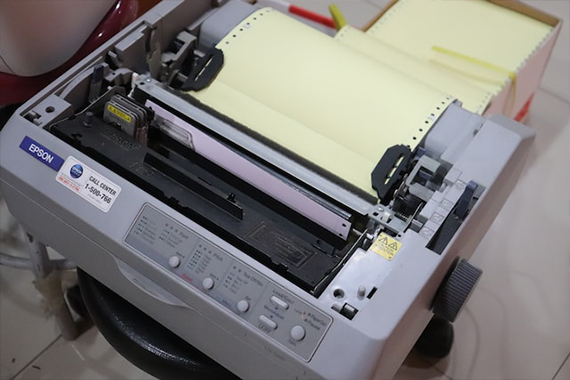
dot matrix printer

Dot matrix printers utilize pins that strike an ink ribbon, creating dots that form images and text on paper. They are ideal for printing multi-part forms and invoices. They can print on continuous paper and make clear and legible carbon copies.

Advantages

  • Prints on multi-part forms and carbon copies
  • Affordable price
  • Long-lasting, reusable ink ribbons
  • Suitable for printing in harsh industrial or factory environments

Disadvantages

  • Low-quality printing
  • Slow printing speed
  • Limited resolution
  • Inconveniently loud and noisy

7. A3 Printers

A3 printer

A3 printers are designed to print on larger paper sizes (up to 11 x 17 inches). These printers are ideal for producing large documents, posters, and brochures. They are typically used in offices, graphic design studios, and print shops.

Advantages

  • Prints on larger paper sizes
  • Ideal for printing posters and large or oversized documents
  • High-quality printing
  • Suitable for printing marketing materials, like brochures

Disadvantages

  • Elevated initial cost
  • Significantly larger size and heavier weight than standard printers
  • Consumes more ink and toner than standard printers
  • Limited paper types, cannot print on glossy photo paper in several models

Each type of printer has advantages and disadvantages, and choosing the right one for your needs depends on your business niche requirements. Consider factors like the document types you will be printing, the printing volume you will be doing, and your budget when selecting a printer.

Printer Types

The future of printing will be exciting, but in this article you discovered the different types of printers, pros and cons, and how they are best suited for office use.

Determining which printer type best suits your business’s needs will help you produce the printed material you require more quickly and efficiently.

Not acquiring the right printer for your office will leave you incapable of producing high-quality and accurate printed material to meet your needs.

Sources:
kb.iu.edu/d/agta
codingmarkingdigest.org/solutions/continuous-inkjet-printer-advantages-and-disadvantages/
atikaschool.org/kcse-computer-studies-questions-and-answers-836310/state-advantages-and-disadvantages-of-laser-printers
ledlights.org/FAQ/What-is-an-LED-Printer.html
lerablog.org/technology/hardware/which-printer-should-i-buy-inkjet-laser-or-led/

Clash Graphics Print Shop Atlanta Flyer Printing

2233 Peachtree Rd NE Ste 202 AtlantaGA 30309
(678) 235-3464

To view the original version on Clash Graphics, visit: https://www.clashgraphics.com/printing-tips/types-printers-pros-cons-uses/

Friday, April 20, 2018

Graphic Designer Salary, Software and Portfolio Tips

With the explosion of digital devices, industries and businesses are relying heavily on the Internet to market and promote themselves. To remain relevant, both companies and individuals need to produce compelling content consistently.

This movement has created demand and vast opportunities for graphic designers. Creatives with design ability are being hired for in-house positions, as contractors, and as freelance designers.

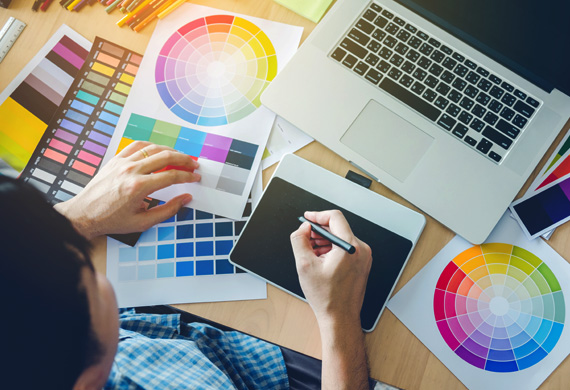
Graphic designer working with software on portfolio

When contemplating a career as a designer, it is important to look ahead and assess future demand, where the industry is headed, and the potential ROI (return on investment).

First off, you should consider the cost of a graphic design or arts degree. Next, compare the salary of working in-house for a firm or corporation, to the cost of starting a freelance design business.

Our team of designers at Clash Graphics has compiled a guide to help you further understand what it takes to become a graphic designer, and detail the various opportunities within the profession. Hopefully, the insights we outlined here will help you determine if becoming a graphic designer is - in fact - the right choice for you, and how to go about it.

What Is Graphic Design?

Graphic design is the creative vision and artistic execution to encapsulate and project ideas, concepts, and experiences through visual mediums. In short, it is conveying an idea, message, and feeling to a desired audience using visual design and typography.

Graphic design work exists in the form of virtual or physical media, and can include graphics, images, or words to create its experience. The visceral and visual experience may be instantaneous or one that progresses subtly over time.

Design work ever-present in our daily lives, and can be used personally or commercially. For example, an individual would use a flyer in announcing a community cook-out, whereas a business in displaying meal choices on the menu of its’ national restaurant chain.

Potentially seen by millions, such creative work serves the needs of clients in the varied private, commercial, political, and educational fields.

What Education, Qualifications and Design Software are Needed?

If you are looking to secure employment as a graphic designer with an ad agency or commercial organization, they typically seek the following requirements and skill sets:

  • Must possess a Bachelor’s Degree in Fine Art Design, Marketing or related discipline
  • Extensive experience with InDesign, Illustrator, Photoshop and/or CorelDraw
  • 3+ years in professional commercial design
  • Excellent communication skills
  • Willingness to absorb and apply constructive criticism from both peers and clients

Bonus Skills that Can Increase Your Design Job Salary and Value

  • Working knowledge of HTML, CSS or JavaScript
  • Experience with WordPress or Joomla CMS platforms

As with any profession, there are individuals that do not have formal training, but acquired the skills and are self-taught. Acquiring design skills through personal experience only requires an immense passion, dedication and persistence to learn the discipline and relevant software platforms.

Graphic designer doing freelance work with software

For an individual that is considering going this route, they should be highly motivated and possess an advanced skill or talent in:

  • Art / Design
  • Computer Platforms
  • Determination in task completion

In freelance or in-house design, the more experience and complementary skill sets brought to the table, the better equipped and successful a designer will be. Ultimately, the ability to produce desirable results will determine your demand and the value of your creative design services.

What it Costs to Start a Basic Graphic Design Business

For an individual choosing the entrepreneurial path, it will cost somewhere between $2,000 and $5,000 to get your freelance design business up and running. Some of those expenses include:

  • Business Incorporation and Licensing
  • EIN (Employer Identification Number)
  • Bank Account
  • Computer
  • Design Software (CorelDraw, Adobe Photoshop, Illustrator, and InDesign)
  • Printer
  • Phone
  • Website
  • Business Cards

To fully equip your business, another $3,000 to $5,000 can easily be invested in the following:


NOTE: As you launch your business and exchange services for money, you will want a business entity (LLC, Inc., etc.) to limit your liability while providing tax benefits. As the sole proprietor, it will be your responsibility to adhere to local, state, and federal tax codes and regulations.

  • Hire a lawyer to prepare or audit the contracts your clients will sign.
  • Consult an accountant to fully understand the advantages / limitations of your business structure, how to account for all allowable expenses, and the total amount of taxes to withhold and submit each quarter.

Graphic Designer Job Salaries and How Much to Charge for Freelance Services

A salaried graphic designer is like any other salaried employee. You get paid a set amount, regardless of how many designs or creative assets you produce. With time and as you gain experience, your salary potential increases. The following salary ranges display entry level to highest level salaries by city:

Graphic Designer
Atlanta GA - $33,000 to $61,000
Houston Tx - $31,000 to $58,000
New York Ny - $34,000 to $71,000
San Diego Ca - $35,000 to $60,000

Senior Graphic Designer
Atlanta GA - $44,000 to $78,000
Houston Tx - $43,000 to $72,000
New York Ny - $50,000 to $93,000
San Diego Ca - $45,000 to $85,000

While the security of a salary provides certainty, some individuals opt for more upside potential, and are attracted to the freelance route where you can earn more over time if you're willing to put in the work.

However, placing a price tag on your work can be a difficult task when starting out as a new designer. The time you are investing in a project is your sole source of revenue, thus your prices should reflect your level of experience, the quality of your work, and the value you produce.

Take for example: An in-house designer with mid level experience makes approximately $50,000 as a yearly salary, which translates to $24.00 per hour. That’s $50,000 divided by 2,080 working hours in a year.

As a freelancer when bidding or quoting a project, you must…

First:

  • Define an equivalent salary based on your experience and work quality.
  • Divide the annual SALARY by 2,080 which equals $/HOUR.

Second:

  • Estimate the number of hours required to design, revise, and complete the project.
  • Multiply that by your $/HOUR value to give the project an estimated value.

Third:

  • Define the costs for all materials, travel expenses, stock photos, or other digital assets needed for the project.

Finally:

  • Add the “project labor value” to the “material value” to arrive at a “full project value”.
  • Local, State, or Federal taxes may apply, so consider this if you are required to collect tax

A skilled and experienced freelance designer willing to put in the work has the potential of making $5,000 to $10,000 per month. Reaching said earning potential will require an aggressive print and digital marketing campaign, consistent referrals, retainer fees, and monthly contracts.

As a freelancer, you are only paid when you have a client or project, so your marketing ability must be as strong as your design skill. Otherwise, you will be forced to accept cheaper rates and projects to stay busy and earn an income.

Watch this video to see how this freelance graphic designer makes his income.

What You Need To Know Before Becoming A Freelance Graphic Designer

Of the many difficulties a freelance graphic designer will face, we identified several that - if understood from the beginning - can greatly improve your chances of creating a successful design business.

Your Portfolio - The face of your business is your portfolio. Having your portfolio in print and published online (on the Internet) will allow potential clients to see your capabilities, and provide a reference of the quality and implied cost of your work and time.

Do not cut corners with your portfolio, the beginning and future of your business depend on its excellence and ability to convey your value.

You Will Work With Difficult People - At times, your clients may approach you with an undesirable attitude or unreasonable expectations. It is their view of perfection that matters, and despite how they make you feel, it is ultimately your job to fulfill their needs, or reach a resolution that leaves them completely satisfied with the finished product.

As a graphic designer you are an artist, but if you are a freelance contractor, this means you are in the service business also.

Learning to effectively overcome obstacles and please your clients will help you establish a strong reputation; as a result you will increase the flow of referrals and generate new business opportunities.

You Work for Your Client - The work you do is not all about your artistic abilities and preferences. It is in fact more about delivering a product that satisfies the vision that your client possessed before they even hired you.

At times, you may have leeway to make suggestions; just remember you are a conduit that creates their vision, not your own. Likewise, since they control the check book, your job is to effectively discern their taste, and intuitively produce the creative that will appeal to them and their customers.

Efforts to ensure a smooth business transaction

Being a successful designer means working well with clients or project managers. This is key, and having clear terms and expectations will help you limit misunderstandings.

Here are a few considerations and ways to ensure a smooth and more pleasant design process.

Require A Deposit Before Beginning Any Project - When negotiating a contract, define the price, what’s included, what’s not included, payment terms, options, and finally require a non-refundable deposit. This will protect your time in the event the client backs out of your contract prematurely.

Ask Questions for Clarity - Although your clients are not designers or may have had little experience in creative production, it is important to ask questions and clarify anything that seems ambiguous or ill-defined.

Business freelance graphic designer project and client

You will find many clients are unable to fully and/or clearly articulate what they want. Often it is easier for them to say what they don’t want and point out designs that they dislike. Thus, your job calls for paying close attention to their responses, becoming intuitive, reading between the lines, and learning their true taste.

Without clarification, you will risk presenting a project outside of the client’s parameters. The result of this is wasted time, resources, and the potential loss of the client.

Start intentional dialogue to get the information you need, ask the right questions, help your client identify their design goals, and further clarify their expectations.

Your Graphic Design Business

Starting your own business requires a defined and well-known target audience. Next you must convey who you are as a brand, and the differences or unique advantages that set you apart from their other options.

Your print and digital marketing campaign should accomplish this goal while showcasing the experience of working with you, your professionalism, and the quality of your design services.

The success of your career as a graphic designer freelancer ultimately lies in your hands. Keep yourself up-to-date with cutting edge software releases, the latest in design trends, and remain flexible enough to make changes in your approach and delivery methods.

Being a successful designer requires flexibility, effective communication, and great interpersonal skills. Be honest, audit yourself, and think whether you will fit best in an agency or as a freelancer. Choose the path that best suits your personality and provides growth and opportunity in the future.

We live in a dynamic world that is quickly evolving, so continue to educate yourself and improve your skills daily.

Clash Graphics Print Shop Atlanta Flyer Printing

2233 Peachtree Rd NE Ste 202 AtlantaGA 30309

(678) 235-3464

To view the original version on Clash Graphics, visit: www.clashgraphics.com/printing-tips/graphic-designer-salary-software-portfolio-tips/