In today's fast-paced world, the art of printing has evolved along with technology to meet the diverse needs of various industries. From creating vibrant promotional materials to crafting intricate 3D models, printing methods have come a long way. In this Clash printing guide, we'll explore the fascinating world of printing, delving into different methods and techniques that have revolutionized the way we bring ideas to life.
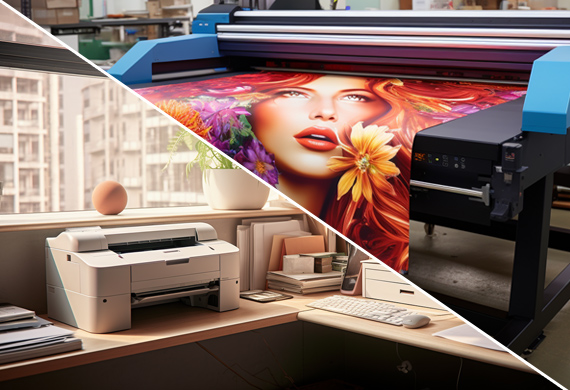
Key Takeaways of Different Printing Methods
Printing techniques are birthed from new technology, and this guide covers printing methods: digital to screen, offset lithography, and 3D printing.
Inkjet and laser printers perform digital printing, and are of the most widely use printing methods.
LED UV Printing is a cost-effective and time-efficient method that yields high-quality results with improved durability.
Gravure printing produces long runs of detailed visuals with fine details, while flexography offers versatility for packaging materials.
Understanding Digital Printing
Digital printing has gained popularity for its versatility and efficiency. Among the different printing methods, digital printing is a modern method that consists of various techniques like inkjet printing and laser printing. It is one of the most commonly used methods in the modern world. These methods have transformed the way we produce digital images on physical surfaces, offering quick turnaround times and cost-effective solutions for small print runs.
One of the key advantages of digital printing is its ability to produce high-quality prints at a reasonable cost without being limited by maximum print roll width. This makes digital printing an ideal choice for businesses seeking to create.
Promotional materials
Logos
Labels
Transactional printing
Inkjet Printing
Inkjet printing, a preferred digital printing technique, employs a print head with minuscule nozzles that disperse ink onto passing paper. This technique is known for its ability to create prints of superior quality with vivid colors. Additionally, inkjet printing is a rapid printing method, making it well-suited for short-run jobs.
However, inkjet printing is unsuitable for large-scale printing projects, as it is less productive than other printing techniques. Furthermore, the ink used in inkjet printing is more expensive than other printing techniques.
Nevertheless, inkjet printing is widely used for various applications, including photographs, posters, brochures, and other promotional materials.
Laser Printing
Laser printing, another well-liked digital printing technique, operates by utilizing a laser beam to scan back and forth across a drum within the printer, forming a pattern of static electricity. This static electricity attracts toner particles, which are then transferred onto the paper to generate the printed image or text. Laser printing, as one of the printmaking techniques, is noted for its speed, efficiency, and high-quality prints.
While laser printing offers many advantages, it does have its drawbacks. The initial setup and upkeep of laser printing can be costly, and it is not compatible with certain materials. However, laser printing is regularly utilized for printing documents, photographs, and other visuals, as well as printing labels, packaging, and other items.
Delving into Screen Printing
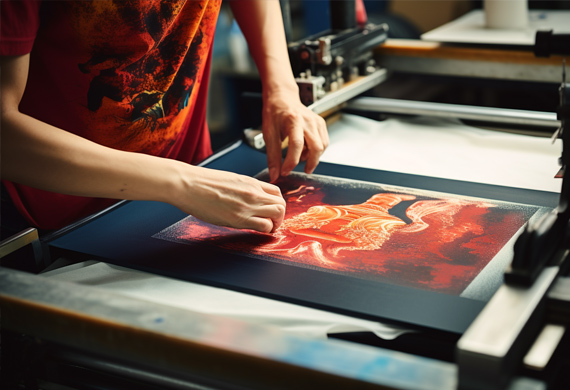
Screen printing is a widely used technique for creating vibrant graphics on apparel and fabric items, such as t-shirts, paper, and metal surfaces. This method is often employed for printing posters, t-shirts, and other promotional materials, using various vivid inks.
The process involves creating a stencil on a mesh screen and then pushing ink or paint through the stencil onto a surface. The sections of the screen that are not part of the stencil are made impervious to the ink, thus allowing for precise printing of the desired design.
Screen printing is economical for producing large volumes of prints, but it is not appropriate for smaller projects due to its setup costs. In subsequent sections, we'll learn more about the screen printing process and examine its strengths and weaknesses.
The Screen Printing Process
The screen printing process involves:
Laying a design on the top of the screen
Covering it with photo emulsion
Exposing it to light
Washing away the excess emulsion, leaving a stencil
Pulling ink through the stencil using a squeegee
The result is a high-quality print that is both versatile and cost-effective.
At present, multiple varieties of materials are employed in screen printing. This allows for a wide range of applications, from printing on fabric to paper and even metal surfaces. Additionally, screen printing offers increased ink thickness for various finishes, durability against washing and other physical stressors, and versatility for printing on different surfaces.
Advantages and Limitations
While screen printing offers numerous benefits, such as its ability to produce high-quality prints and its versatility, it does have some limitations. Some of these limitations include:
The process is labor-intensive and not suitable for printing small quantities.
Screen printing has a higher initial setup cost compared to other printing processes.
The setup and printing time for screen printing is longer compared to other printing processes.
Despite these limitations, screen printing remains popular for many printing projects due to its ability to produce vibrant and durable prints.
Despite these limitations, screen printing also remains a popular choice for printing graphics on apparel and other promotional items.
Offset Lithography: A Classic Choice
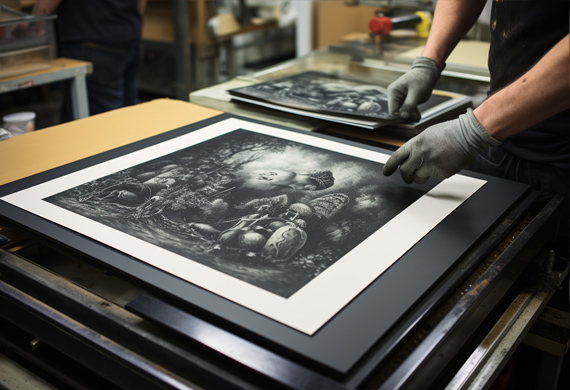
Offset lithography is a traditional printing method that produces high-quality images on flat surfaces, utilizing printing plates and rubber blankets to transfer images. This method has been a staple in the printing industry for many years and is still widely used today for large-scale printing projects, such as newspapers, magazines, and books. Offset lithography is often employed for printing packaging, labels, and other promotional materials.
While offset lithography offers numerous benefits, such as high-quality images, cost-efficiency, and the ability to print on various substrates, it requires specialized equipment and a longer setup time than other printing processes.
In the following sections, we'll scrutinize the offset printing process, its optimal applications, and factors to consider.
The Offset Printing Process
The offset printing process involves using a printing plate, a rubber blanket, and an inked image to transfer an image onto a substrate. The printing plate is initially coated with a photosensitive emulsion, which is then exposed to a light source. Subsequently, the exposed areas of the plate are washed away, leaving the image to be printed.
The rubber blanket is then employed to transfer the image from the plate to the substrate. Offset printing offers high-quality results, cost-efficiency, and the capability to print on various materials. However, this method requires specialized equipment and necessitates a certain amount of time for setup.
Despite these limitations, offset printing remains a popular choice for printing materials such as newspapers, magazines, brochures, stationery, and books. In contrast, letterpress printing is often reserved for more specialized projects that may involve a printing press.
Applications and Considerations
Offset lithography is ideal for high-volume print jobs, such as:
Printing books
Printing magazines
Printing newspapers
Printing packaging
Printing labels
Printing other promotional materials
However, it may not be cost-effective for smaller runs, given the cost of the printing plates, the cost of the inks, and the time necessary to set up the printing process.
Thus, while offset lithography offers many advantages, it is essential to consider the specific needs of a project before deciding on this printing method.
Flexography: High-speed printing for Packaging
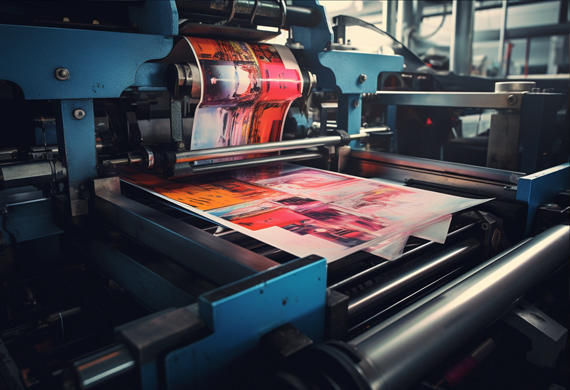
Flexography is a fast and efficient printing method used primarily for packaging materials, utilizing photopolymer plates and quick-drying inks. This method has gained popularity in recent years due to its ability to print on a wide variety of substrates, such as plastic, metal, and corrugated cardboard. Additionally, flexography is ideal for high-speed printing, making it a go-to choice for packaging and labeling projects.
In subsequent sections, we'll dissect the elements of flexographic printing, including the printing plates and ink varieties, and study its strengths and weaknesses.
Flexographic Printing Plates
Flexographic printing plates are thin sheets of photopolymer material that are mounted on cylinders and used to print on various surfaces. The process of creating these plates involves the following:
Forming a positive mirrored master of the required image as a 3D relief in the material.
Employing rubber-based materials in the production of flexographic plates.
Note that the production of these plates involves complex and manual steps.
Flexographic printing plates offer the following benefits:
A High degree of detail and precision
A broad range of colors and textures
Cost-effective
It can be used to print on various surfaces, including paper, plastic, metal, and fabric.
Inks and Materials
Flexography utilizes a variety of inks, including water-based inks, solvent-based inks, and energy-curable inks. These quick-drying, semi-liquid inks allow for rapid printing on many materials, such as paper, cardboard, plastic film, laminates, foils, and corrugated boards.
Although flexography offers numerous benefits, such as higher speed, improved resolution, and the ability to print on multiple substrates, it does have certain drawbacks. The cost of the equipment and the ink can be relatively high, making it a costlier option compared to other printing methods.
Flexography remains popular for packaging, labels, and other printed materials despite these limitations.
Large Format Printing: Bigger is Better
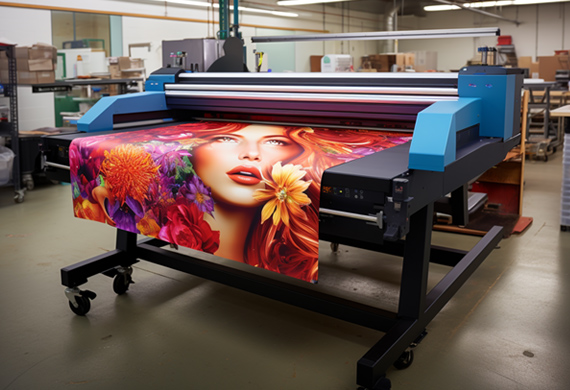
Large-format printing is the perfect solution for creating oversized print materials such as banners, billboards, and building wraps. This method allows for the production of large print media that can effectively convey messages and visuals to a broader audience. Whether it's an advertisement for a new product or an eye-catching design for an event, large-format printing ensures that your message is seen and remembered.
In subsequent sections, we'll delve into the two primary types of printing for large format, roll-fed inkjet printing, and flatbed presses, while also examining their strengths and weaknesses.
Roll-Fed Inkjet Printing
Roll-fed inkjet printing is a method of printing that utilizes a set of rollers to pull the paper from a tray or feeder and advance it when the print head assembly is ready. The paper is fed in roll form and is transported to the printer unit, where the printing is performed. This method is commonly employed in production inkjet presses and enables continuous printing on a roll of paper.
Roll-fed inkjet printing provides numerous advantages, including:
Higher speed
Improved resolution
The capability to print on multiple substrates
Continuous printing on larger rolls of media leads to cost-effectiveness and greater efficiency.
However, roll-fed inkjet printing has certain drawbacks, such as requiring specialized equipment and the possibility of paper jams.
Flatbed Presses
On the other hand, flatbed presses are printing machines that utilize a flatbed as a flat surface to secure the substrate while the printing plate is pressed against it. The printing plate is then inked, and the substrate is imprinted with the desired image. Flatbed presses can print directly onto rigid materials with high accuracy and detail, making them suitable for intricate designs.
Flatbed presses are typically utilized for large-scale advertising projects, such as billboards, banners, and signs. Additionally, they are employed for printing packaging, labels, and other printed materials. Flatbed presses offer the advantage of printing on a wide variety of materials, making them a versatile option for large-format printing projects.
Gravure Printing: Fine Details and Long Runs
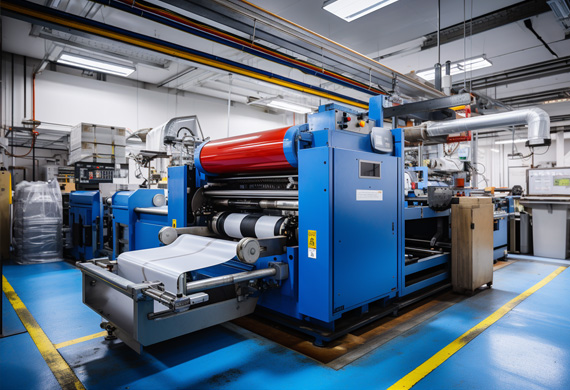
Gravure printing is a high-quality, long-run printing method that uses copper cylinders and rotary printing press to create detailed images. This method is particularly suitable for producing extended runs of intricate visuals, including magazines, newspapers, and packaging. With its ability to produce fine details and a broad range of colors, gravure printing is a popular choice for projects requiring a high level of detail and precision.
In subsequent sections, we'll delve into the gravure printing process and its optimal applications.
The Gravure Printing Process
The gravure printing process involves:
Engraving text and/or photos onto an image carrier, such as a cylinder, through an etching process or with a diamond tool or laser.
Filling the engraved cells on the cylinder with ink.
As the cylinder rotates, transferring the ink directly to the substrate.
Resulting in a high-quality print with excellent ink laydown.
Gravure printing offers a high degree of detail and accuracy, as well as a broad spectrum of colors and hues. However, it is a laborious and costly process and unsuitable for small runs or fast turnaround times.
Ideal Applications
Gravure printing is ideal for projects that require intricate details and extended print runs, such as magazines, newspapers, and packaging. Its ability to produce high-quality prints with fine details makes it a popular choice for these types of projects.
However, due to its labor-intensive nature and high costs, gravure printing may not be the best option for smaller projects or those with tight deadlines.
3D Printing: Bringing Digital Models to Life
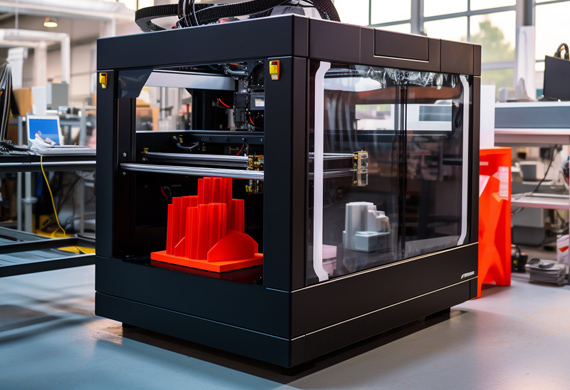
3D printing is an innovative method that uses digital models to create physical objects by adding layers of material. This groundbreaking technology has transformed manufacturing by enabling the production of intricate and personalized objects with remarkable accuracy. From creating prototypes to producing custom-designed products, 3D printing is revolutionizing the way we bring ideas to life.
In subsequent sections, we'll discuss the diverse 3D printing types and materials used, along with the merits and demerits of this advanced method.
Types of 3D Printing
There are several types of 3D printing, including:
Fused Deposition Modeling (FDM)
Stereolithography (SLA)
Selective Laser Sintering (SLS)
Digital Light Processing (DLP)
FDM, the most widely utilized type of 3D printing, involves melting and extruding plastic filaments to create objects.
On the other hand, SLA uses a laser to cure liquid resin into solid objects. SLS employs a laser to sinter powdered materials into solid objects. Each of these 3D printing methods has its own advantages and disadvantages, but all offer the ability to create intricate and customized objects with impressive precision.
Materials and Limitations
3D printing can be used with a range of materials, such as:
ABS
PLA
HIPS
PETG
Nylon
Carbon Fiber Filled
ASA
Polycarbonate
Various blends of these materials
Additionally, there are options for printing with powders, resins, metals, and carbon fiber.
Despite its many advantages, 3D printing does have some limitations. The print size may be restricted, and not all materials are compatible with every 3D printing method. Nevertheless, 3D printing continues to evolve, offering new possibilities and applications for industries and individuals alike.
LED UV Printing: Fast and Efficient
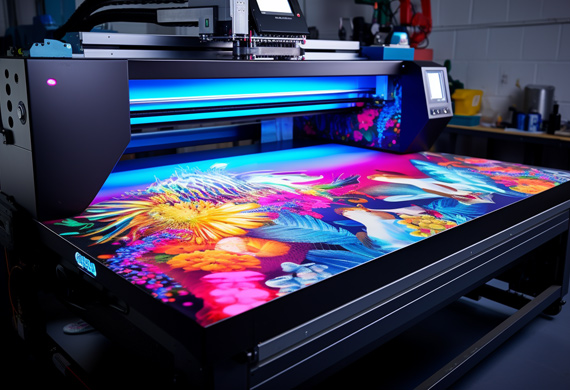
LED UV printing is a fast and efficient method that uses UV lights to instantly dry ink, resulting in high-quality prints and quick turnaround times. This method has become increasingly popular in recent years due to its ability to produce high-quality prints at a reasonable cost without being limited by maximum print roll width.
In subsequent sections, we'll learn more about how LED UV printing functions and examine its applications and benefits.
How LED UV Printing Works
LED UV printing works by curing ink with UV light, allowing for faster production and reduced drying times. This technology employs a UV light source to cure inks applied to the substrate, which results in a resilient, enduring print.
The benefits of LED UV printing include faster production times, shorter drying times, and enhanced durability. LED UV printing is also more eco-friendly than other printing techniques, as it does not require solvents or other hazardous substances. This method is utilized for a range of applications, including printing on plastics, metals, and other substrates.
Applications and Advantages
LED UV printing is a versatile method that can be used for a wide range of projects, including packaging, promotional materials, and signage. Its rapid turnaround times, high-quality results, and cost-effectiveness make it an attractive option for businesses and individuals seeking to create eye-catching printed materials.
Summary of Printing Methods
In conclusion, the world of printing offers a diverse range of methods and techniques, each with its own unique advantages and applications. From the versatility of digital printing to the intricate details of gravure printing, these methods enable us to bring our ideas to life in a myriad of ways. As technology continues to evolve, so too will the possibilities for printing and the ways in which we share and communicate our messages. The future of printing is bright, and we can't wait to see what innovations await!
Frequently Asked Questions
What are the 8 types of printing methods?
There are eight printing methods: Digital Printing, Screen Printing, Flexography Printing, Litho Printing, Transfer Printing, Engraving, Embossing, and Embroider Printing.
What are the 4 main types of printmaking?
Woodcut, etching, engraving, and lithography are the four main types of traditional printmaking, while screenprinting is a more modern technique.
What is the difference between inkjet and laser printing?
Inkjet printing uses liquid ink to produce high-quality images, whereas laser printing utilizes toner for precise and sharp prints.
What materials can be used in 3D printing?
3D printing can be used with various materials, such as ABS, PLA, HIPS, PETG, Nylon, Carbon Fiber Filled, ASA, polycarbonate, powders, resins, metals, and carbon fiber.
Clash Graphics Print Shop Atlanta Flyer Printing
2233 Peachtree Rd NE Ste 202 Atlanta, GA 30309
(678) 235-3464


