Saturday, February 20, 2021

Social Distancing in Schools

Prevent confusion, illness, and misinformation from disrupting your school’s gradual return to in-person learning. Adapting your school’s processes and safety protocols in concert with clear and informative signage will help improve your students health and safety.
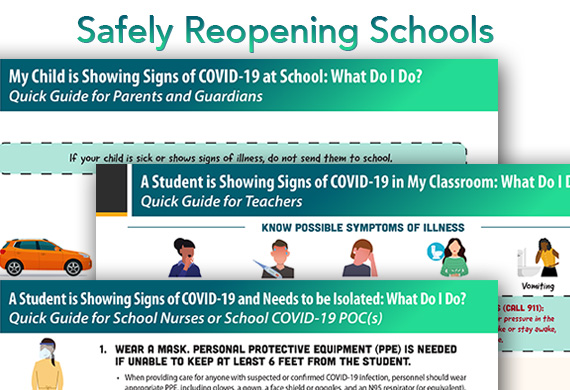
covid 19 protocols for reopening schools safely

clashgraphics.com gathered the following information about suggested COVID-19 school safety protocols, how schools can implement strategic signage to encourage their students to follow OSHA and CDC protective safety guidelines.

CDC Schools Reopening Guidelines

The Centers for Disease Control and Prevention (CDC) issued guidelines/considerations to help schools reestablish in-person learning while protecting the health of students, teachers, staff, their families, and communities. These considerations include:

  1. Promoting behaviors that reduce COVID-19’s transmission
  2. Maintaining healthy school operations
  3. Maintaining healthy school environments
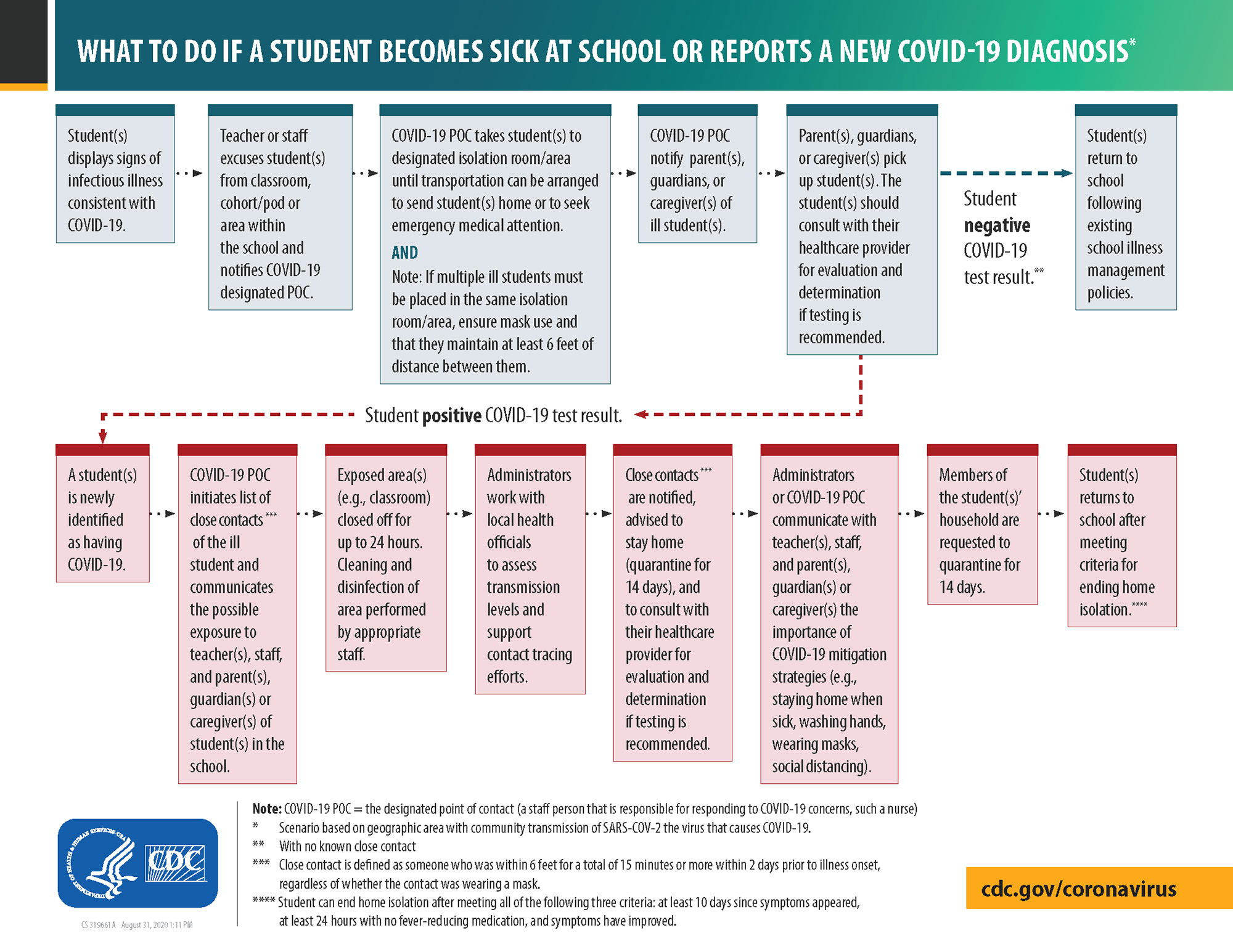
  4. Preparations for when someone gets sick

There exists, within each community, unique needs and circumstances. The implementation of health and safety guidelines should be guided by their feasibility, practicality, acceptability, and tailored to the community’s needs.

Note: These considerations are intended to supplement - not replace - Federal, state, local, territorial, or tribal health and safety laws, rules, and/or regulations with which schools must comply.

1. Promoting Behaviors That Reduce COVID-19’s Transmission

Changing behaviors in our communities plays a crucial part in successfully returning to in-person learning, sports, and other social activities. These behaviors include:

  • Staying home when sick
  • Social distancing - staying 6 feet apart
  • Wearing a mask (especially when social distancing is difficult or entering in closed spaces)
  • Avoid touching eyes, nose, and mouth
  • Covering your cough or sneeze with a tissue (then disposing of the tissue in the waste bin)
  • Hand washing
  • Frequent hand sanitizing

In an educational setting, constant reminders like signs, monitors, and extra staffing can be used to help others permanently alter their behavior.
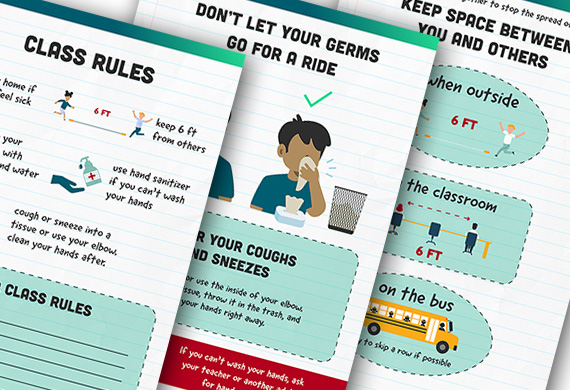
Behaviors that reduce the transmission of covid 19 in schools

2. Maintaining Healthy Operations

School administrators can make changes in the way they manage their schools to support and maintain healthy operations. Some of these changes include:

Measures to protect high-risk staff, teachers, and students

  • Enact policies (following applicable local, state, and federal law) to protect all individuals’ privacy at higher risk for severe illness regarding underlying conditions.
  • Provide limited exposure, work from home, and modified job responsibility options for teachers and staff at risk or with underlying medical conditions.
  • Provide virtual learning opportunities for students at risk or with underlying medical conditions.
  • Create and provide inclusive school programming for students with special physical needs, healthcare needs, and disabilities, allowing virtual or on-site class and activity participation with necessary assistance, modifications, and accommodations.

Further changes to consider:

  • Dividing teachers and students into groups and keeping those groups together.
  • Hybrid options - alternating schedule for remote learning and in-person learning.
  • Stagger student arrival, drop-off, and pick-up times to prevent or limit over-crowding and contact with parents, caregivers, and guardians.
  • Designate one staff member (school nurse) as the COVID-19 point of contact. This staff member should be known and accessible to students, teachers, staff, and families.
  • Implement more relaxed absence and leave policies to accommodate staff, teachers, and students staying home when sick, exposed, or caring for someone who is sick.
  • Create a back-up staffing plan to temporarily cover staff absenteeism.
  • Hold frequent training sessions with staff and teachers covering safety protocols, COVID-19 updates, recognizing signs and symptoms, and how to handle a situation when someone gets sick.

Watch this video from the CDC on protecting students, staff, families, and communities from COVID-19.

3. Maintaining healthy school environments

School administrators can make changes in providing and supporting a healthy environment for staff, teachers, and students. Some of these changes include:

  • Require universal mask use.
  • Increasing the frequency of cleaning and disinfecting surfaces throughout the school (door handles, desks, sink handles, vending machines, drinking fountains, etc.
  • Train and ensure the correct usage and storage of cleaning and disinfection products (these products should meet Environmental Protection Agency (EPA) disinfection criteria)
  • Discourage item sharing (devices, toys, learning aids, books, writing utensils, etc.).
  • Upgrade, improve, and increase maintenance frequency of the ventilation system to deliver clean air and filter or dilute potential contaminants.
  • Require or increase outdoor air ventilation by opening doors, windows, vents, and using fans to increase open door and window efficiency.
  • Flush plumbing system and open faucets to run water (this ensures water safety after prolonged periods of shutdowns or inactivity.
  • Modify seating/desk arrangements and positions to maintain students 6 feet apart (this includes classrooms, lunch/community areas, buses, and transportation alternatives).
  • Install sneeze guards and partitions in locations that make it challenging to remain 6 feet apart (restroom sinks, reception desks, etc.)

Watch this video from the CDC on maintaining a healthy school environment.

4. Preparations for when someone gets sick

Schools should be prepared for when staff, teachers, or students come down with symptoms of or receive a diagnosis of COVID-19. Consider the following preparatory steps and isolation/quarantine criteria:

  • Anyone with COVID-19 should not return to in-person activities until meeting the CDC’s criteria to discontinue home isolation. Read more on this criteria at cdc.gov/coronavirus/2019-ncov/if-you-are-sick/end-home-isolation.html
  • Those who have been exposed to the virus should not return to in-person activities until finishing their quarantine.
  • Educate staff, teachers, and students on when to stay home
  • Isolate and transport those who develop symptoms of COVID-19.
  • Clean and disinfect areas used by a sick person. It is recommended to wait for 24 hours before cleaning and disinfecting or as long as possible when 24 hours is not feasible.
  • Immediately notify health officials, staff, and families of any case of COVID-19. Certain measures of confidentiality must be maintained in accordance with the Americans with Disabilities Act (ADA), Family Educational Rights and Privacy Act (FERPA), and all other applicable laws and regulations.
  • Inform and educate individuals who’ve had close contact with a person who has tested positive for COVID-19 again, maintaining confidentiality as required by the ADA and FERPA.
  • Develop a building, facilities, and event closure procedure that activates if/when an infected person (during their infectious period) has been on campus or has had close contact with others.

Note: In the event, your school must close, communicate with your local public health officials to coordinate the extent, duration, and next steps for activity suspensions and cancellations.

Watch this video from the CDC about schools having a plan for when someone gets sick.

OSHA Guidance for the Workplace

The following is a summary of what to know about COVID-19 protection in the workplace, tailored for teachers and school staff:

  • One of the best ways to protect yourself is to maintain enough distance from other people, so you are not breathing in particles produced by an infected person – at least 6 feet.
  • Wash your hands often. Always cover your mouth and nose with a tissue or inside of your elbow when you cough or sneeze. Monitor your health daily and watch for COVID-19 symptoms.
  • Use face coverings. These are simple barriers to help prevent the exchange of respiratory droplets or aerosols. The CDC recommends that face coverings be made of at least two layers of tightly woven breathable fabric, without exhalation valves or vents.
  • The principal function of properly wearing a face covering is to shield or protect those around you in case you are infected without symptoms.
  • You should use face coverings whether you are showing symptoms or not. People with COVID-19 who do not develop symptoms (asymptomatic) and those not yet showing symptoms (pre-symptomatic) can still spread the virus.
  • Even if you have been vaccinated, it is essential to wear a face covering, maintain distance, and abide by other safety measures. It is not yet known how vaccination affects transmissibility.
  • Follow established COVID-19 prevention programs that include steps to keep staff, teachers, and students safe – including flexible schedules, personal protective equipment (PPE), and face coverings.

For more of OSHA’s guidance on mitigating and preventing the spread of COVID-19, visit osha.gov/coronavirus/safework

Social Distancing Signs for schools

Providing a safe learning environment is reliant on having a strategy and how it is implemented. That strategy should include directional and educational signage strategically posted throughout the school.
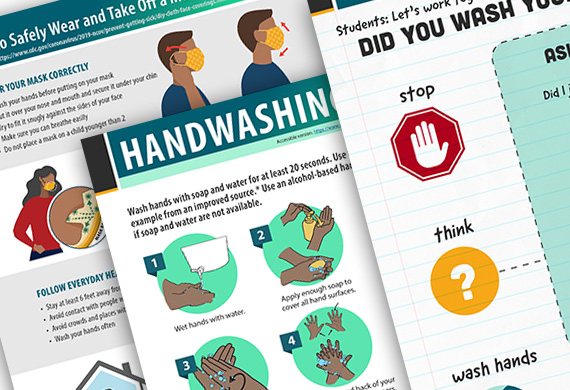
covid 19 prevention with hand washing and mask wearing protocols

The CDC developed the following signs and informative handouts for COVID-19 awareness to continuously remind students to wash their hands, maintain 6-feet between themselves and friends, wearing a mask, etc.

Tip: You can customize these signs and infographics with your school’s mascot, logo, or motto.

Visit the following links for more CDC guidance for schools:

  • K-12 Schools COVID-19 Mitigation Toolkit cdc.gov/coronavirus/2019-ncov/community/schools-childcare/FINAL-0321420_B_K-12_Mitigation_Toolkit508.pdf
  • How Do I Set Up My Classroom cdc.gov/coronavirus/2019-ncov/downloads/community/schools-childcare/How_Do_I_Set_Up_My_Classroom.pdf
  • Teachers and Staff Resuming In-Person Learning cdc.gov/coronavirus/2019-ncov/downloads/community/schools-childcare/Teachers_and_Staff_Resuming_In-Person_Learning_checklist.pdf

Note: As more research and patient data is collected, the above guidelines and recommendations may be modified to address virus mutations, increasing infection rates, vaccination efficacy, and other emergent data.

CDC Guidelines for Schools

In this article, you discovered valuable information about COVID-19 school reopening and safety protocols, a school’s use of signage to influence and guide students, and essential guidance from the CDC, OSHA, and NIH.

Implementing a school reopening strategy that protects students, teachers, and staff creates a safe, organized, and nurturing environment to resume in-person learning.

Without good planning, guidance, and informational signs, many children and some adults are likely to forget or not follow safety guidelines. It only takes one person to cause another outbreak.

Sources:
cdc.gov
niaid.nih.gov
epa.gov/pesticide-registration/list-n-disinfectants-coronavirus-covid-19
health.harvard.edu/diseases-and-conditions/preventing-the-spread-of-the-coronavirus
eeoc.gov/facts/pandemic_flu.html
www2.ed.gov/policy/gen/guid/fpco/ferpa/index.html

Clash Graphics Print Shop Atlanta Flyer Printing

2233 Peachtree Rd NE Ste 202 Atlanta, GA 30309

(678) 235-3464

To view the original version on Clash Graphics, visit: https://www.clashgraphics.com/printing-tips/social-distancing-in-schools/


Thursday, January 21, 2021

10 Tips for Working from Home Effectively

Avoid letting distractions and disarray cause your underperformance when working remotely. Knowing how to maximize your time and surroundings when working from home can lead to exceptional work results and increased professional and personal structure.

Working from home online

clashgraphics.com gathered the following information about how working remotely from home suddenly became the new standard and ten tips to help you create an ideal workspace focused on your efficiencies.

Working Remotely

March of 2020 marked the beginning of a massive and transformative shift in the way companies, big and small, were conducting business. The office setting and culture had to quickly shift to accommodate new social distancing and illness prevention guidelines being suggested by the CDC and mandated by local, state, and federal governments. The pandemic and eventual post-pandemic era had begun, and with it, the widespread implementation of working from home standards.

Working from Home Tips

If there are a hundred distractions in an office setting, there are a thousand distractions at home. The following 10 tips will help you eliminate many of those unwanted distractions, improving the quality and output of your work:

#1 - Create a Dedicated Workspace - Ideally, if you have a spare bedroom or den, you can maneuver the furniture, lighting, and decor to create an isolated, productive workspace. If space is an issue, your dining room table, countertop, or coffee table will have to do.

Dedicated work space when working from home

In either situation, the space you dedicate as your workspace should be treated solely as a workspace when you are on the clock.

#2 - Keep Your Workspace Clean - Clutter is the enemy of organization. When working from home, you don’t have a company janitor to clean your desk or pick up after you. Take the time each day to maintain your space clean and clutter-free.

Knowing how to get organized at work plays a big role in efficiency, so read the previous link for more tips about getting your new home workplace organized.

#3 - Choose and Set Up Your Technology - As soon as you start your work from home journey, ask your employer for the equipment and technology you need to efficiently reach and surpass your goals. This may include:

  • Laptop
  • Keyboard
  • Mouse
  • Software
  • Printer

Your employer should also grant you remote access to their corporate virtual private network (VPN), allowing you to share and receive company information and documents securely.

Note: Your employer may have created a budget to support your work-from-home setup. When making requests, be reasonable; they will probably reject a request for a new 85” flatscreen tv.

Tip: Research prices and functionality of the items you require. Take a look at this top 4 all-in-one laser printer reviews to find the perfect printer for your new home office.

#4 - Establish Boundaries - If you live alone, this will be relatively easy. Consider the following measures to eliminate distractions when on the clock:

  • Avoid personal calls and texts
  • Stay off social media sites
  • Leave the tv shows or movies for later
  • Resist the urge to take a nap

If you live with family, children, or have roommates, consider the following in addition to the above:

  • Communicate the necessity for uninterrupted quiet time
  • Define what constitutes a valid reason for interruptions
  • Make a set of rules to be followed when you are working

Note: Just because you are home does not mean that you are there to take care of the dogs, watch the kids after school, or participate in household activities. Ask the question, “How would this get done if I weren’t here?” Your answer is the solution.

#5 - Get Dressed for Work - However you dress for work, get dressed. This, in part, helps you maintain your morning ritual, gets you into “work mode,” and will assist in keeping you out of trouble during video conference calls.

#6 - Maintain a Regular Work Schedule - Establish clear guidelines for when work begins and when work ends. This will help you maintain a balance between work and home life. If your employer doesn’t utilize a time tracking app, consider suggesting one of the following:

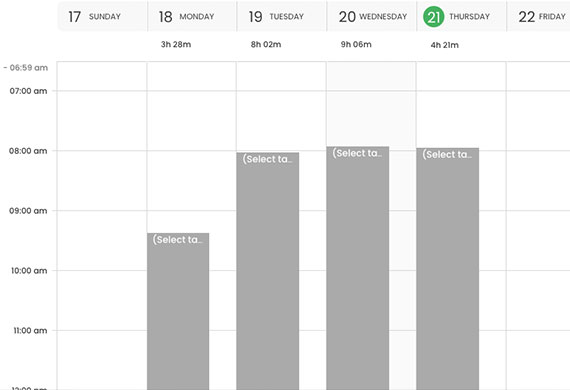
Use a time tracking app when working from home

  • TimeCamp
  • Clockify
  • Toggl Track
  • RescueTime
  • HourStack

Note: These apps not only help you organize your time; some can help reduce distractions, track project times and efficiencies, and offer daily, weekly, or monthly views of time entries.

#7 - Schedule Regular Breaks and Take Them - If you don’t know your employer’s policy on breaks and lunches, contact your Human Resources representative or refer to your employee handbook for the exact parameters.

Regular breaks and lunch periods are important when working from home

Note: In most cases, US employees can expect a 30-minute lunch break plus two ten-minute breaks during an eight-hour workday (times may vary depending on your employer’s policies).

#8 - Attend Meetings and Training - Even working from home, department meetings and training courses are still a necessity. These meetings and courses have mostly commuted from in-person to video and/or conference calls.

Ensure that all mandatory meetings are on your schedule, and you have the proper credentials to attend them. In-person or virtual, showing up late to a meeting is never a “good look” for your professionalism.

Some of the online meeting platforms you and your company may use are:

  • Zoom
  • Skype
  • Microsoft Teams
  • Google Meet

Tip: Attend other “optional” meetings and training sessions. This will help you keep in touch with a broader range of employees from your company.

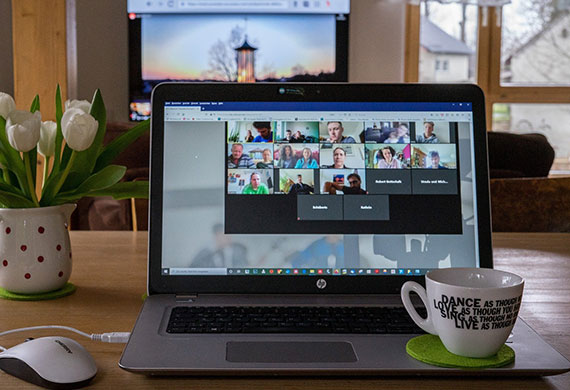
Attend online meetings and stay connected with coworkers when working from home

#9 - Stay Connected With Your Colleagues - Carve out time and schedule meetings with colleagues, clients, contractors, and peers. Staying in touch with these people helps you remain visible in your professional field and, more importantly, to your employer.

#10 - When You End Your Day, End Your Day - The same way you used to clock out and go home for the day, clock out at the end of your shift and put your work away until the beginning of your next shift.

It’s incredibly easy to lose track of time when you are buried in a project. Set an alarm or reminder that it’s time to shut it down and go back to enjoying your home.

Working Remotely from Home

In this article, you discovered what prompted a global shift towards working remotely and tips designed to help you eliminate distractions while increasing productivity.

By making a few simple adjustments, you can increase your efficiencies and output when working from home.

Allowing continued distractions and inconveniences when working from home will cause your productivity to drop and cause potential problems for your employment stability.

Sources:
baylor.edu/coronavirus/index.php?id=967757
siepr.stanford.edu/research/publications/how-working-home-works-out

Clash Graphics Print Shop Atlanta Flyer Printing

2233 Peachtree Rd NE Ste 202 Atlanta, GA 30309

(678) 235-3464

To view the original version on Clash Graphics, visit: https://www.clashgraphics.com/printing-tips/10-tips-for-working-from-home-effectively/

Monday, December 14, 2020

Standard Operating Procedure Checklist

Prevent unwanted work variations and confusion over processes from costing your business time and revenue. By implementing standard operating procedures, you can consistently attain higher efficiencies and desired work results.

SOP development writing and implementation for improved organizational standards

clashgraphics.com defines what an SOP is and compiled the following checklist to help you define, develop, and implement standardized processes using standard operating procedures.

What is a Standard Operating Procedure?

A Standard Operating Procedure (SOP) is a printed or digital document that outlines detailed instructions to help workers perform tasks uniformly, properly, and safely.

An SOP’s primary objective is to prevent misinterpretations and inconsistencies in both work methods and product results while complying with industry-specific standards.

SOP Checklist

Use this checklist to create, maintain, and update the standard operating procedures for your business.

Phase 1: Planning


Name your project. e.g. SOP-Phone-Assembly or Phone-Production-SOP


Identify the desired outcomes from these procedures.


Define how to measure progress towards those outcomes.


Define the frequency in which your SOP will be reviewed and updated (if required).


Identify those employees, managers, technicians, and advisors that will participate in the SOP creation process.

Note: The more accurate your definitions are in this phase, the better references you will have in the following phases.

Tip: This phase is where you should clearly identify any ISO standards or OSHA requirements applicable to the process and/or product you are standardizing.

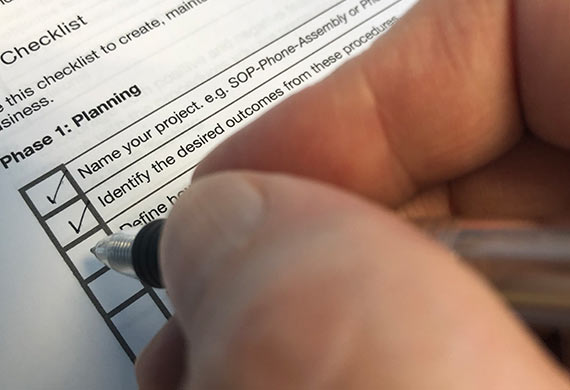
SOP organizational checklist for standard operating procedure development and implementation

Phase 2: Writing the Document


Document all steps, as currently implemented, from beginning to end.


Determine the most appropriate format that easily conveys/describes the process.


Step-by-step, walk through the process, describing actions and/or decisions an employee will need to take in order to reach the desired outcome(s) from phase one.


Include diagrams, images, flowcharts, and other visual aids that clarify process steps.

Tip: Include demonstrations or images of what happens when the SOP fails its intended purpose. This will help employees better visualize the improvements expected from this document.

Phase 3: Suggestions and Improvements


Provide copies of your SOP’s 1st draft to those employees defined in phase 1 and ask for their input.


Identify steps that are unclear, inefficient, or redundant.


Consult individuals outside of your company for their input. This may offer an entirely new layer of objective feedback for your processes.


Once you’ve collected everyone’s feedback, revise your 1st draft.


Once revised, repeat phase 3 (repeat this process until you are fully satisfied with input and revisions)

SOP suggestions for process and instruction improvement

Tip: Encourage both positive and negative feedback. This engages people to be more interactive with the procedures you are presenting.

Phase 4: SOP Testing


Form three test groups to perform tasks established in your SOP.

1 Inexperienced/novice group

1 Intermediate group

1 Advanced/highly skilled group


Ask each group to strictly follow the SOP and flag any difficulties, confusions, or procedural errors they encounter.


Address and revise any flagged procedures.


Run your revised SOP through testing again. Repeat and revise until you are comfortable that you have reached or exceeded your desired outcomes established in phase 1.

Note: Take your employees’ capabilities into consideration when performing test runs and set realistic expectations for the procedures.

Phase 5: Promote Your New Document


Produce a final printed and digital edition of your SOP.


The digital copy of your SOP should be accessible to all employees for reference.


Printed copies should be available in common areas and distributed to employees.


Many organizations include their SOP in hiring packages or in employee handbooks.

Tip: Have your final SOP edition professionally printed and converted into a booklet or catalog with your company logo and a message to your employees on how this document will improve workplace efficiencies. For more information on professional booklet or catalog printing, visit clashgraphics.com/categories/multi-page-booklets/

Phase 6: Personnel Training


Prevent unwanted work variations and confusion over processes by training your employees using your newly minted SOP.


Remain open to questions and both positive and negative feedback throughout the training process.


As new processes become routine, provide encouragement, praise, and positive feedback to your employees.

Note: Keep track of your production output/results pre SOP and compare those numbers with post SOP results to measure your efforts’ effectiveness.

Tip: Engage your HR department or representative to survey employees after the SOP rollout. Sometimes, employees find it easier to express their opinions and feedback in a Human Resources setting.

SOP training and practical use

Standard Operating Procedures

In this article, you discovered what an SOP is, how to define and develop one, and how to implement it after being tested and approved.

Increase workplace efficiencies and eliminate undesirable work outcomes by defining expectations and offering a clear pathway to meet them with standardized procedures.

Without clearly defined procedures, employees may produce unwanted variations in work outcomes, resulting in costly delays and revenue loss.

Sources:
ccts.osu.edu/content/writing-standard-operating-procedures-sops
extension.psu.edu/standard-operating-procedures-a-writing-guide
ecommons.cornell.edu/bitstream/handle/1813/36910/sopsdir.pdf;sequence=1
ncfreshproducesafety.ces.ncsu.edu/wp-content/uploads/2014/03/how-to-write-an-SOP.pdf?fwd=no

Clash Graphics Print Shop Atlanta Flyer Printing

2233 Peachtree Rd NE Ste 202 Atlanta, GA 30309

(678) 235-3464

To view the original version on Clash Graphics, visit: https://www.clashgraphics.com/printing-tips/standard-operating-procedure-checklist/

Tuesday, November 17, 2020

How to Get Organized at Work

Avoid the embarrassment of a messy workstation or always feeling like you're behind and can't keep up. By organizing yourself and finding ways to work more efficiently, you can increase your work productivity while minimizing the potential for irreversible or embarrassing mistakes.

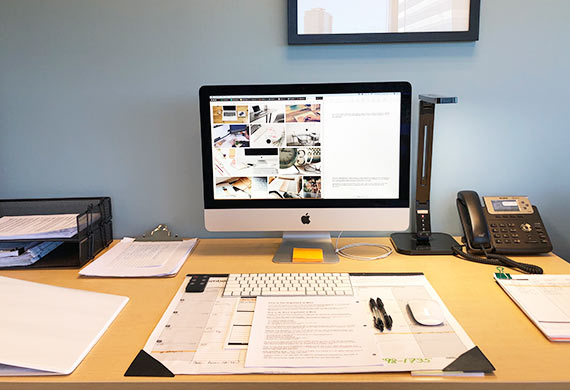
Working at an organized desk increases productivity and efficiency

clashgraphics.com gathered information about ways to get organized at work that help you prevent missing meetings, misplacing documents, and losing valuable time to distractions.

How to Be More Organized at Work

Whether it’s your first day or fifth year on the job, you can always find ways to improve your organization at work. Thus, increasing your efficiency and productivity. Consider the following:

Organize Your Thoughts and Priorities - Your first step to being more organized at work is being at peace away from your workplace. Ask yourself the following:

  • Am I getting enough sleep?
  • Am I eating a balanced diet?
  • Am I getting enough exercise?
  • Do my hobbies complement or support my work life?
  • Am I bringing work home with me?

When you experience personal challenges, it becomes increasingly difficult to remain focused and on task with your work objectives. So as you begin streamlining your workplace, make an effort to minimize outside factors as well.

Organize Your Workplace - One of the things you can do, with an immediate impact, is to declutter. “If all of your work is digital, why would you need a stapler?” Here are a few ways you can make your workspace work for you:

  • Remove items nonessential to completing work tasks/assignments
  • Put paperwork in its place
  • Assign a place for everything
  • All essential items should be within reach
  • Reduce your use of post-it notes

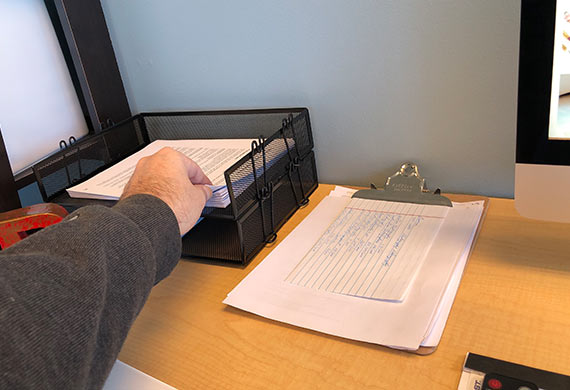
Organize your work material so that everything is within reach from your seat

Tip: A common issue with post-it notes is they can fall, get lost, or they can be overused, creating more confusion than solution. Use a paper or digital notebook or calendar for your notes and reminders to reduce the use of post-it and/or loose notes.

Note: You are likely going to spend the majority of your day in your office, your vehicle, your home, or wherever your workspace is. It is essential to your productivity and efficiency that this area be kept clean and organized.

Desk and Office Tools - When working at a desk, in a cubicle, or in an office, here are some of the tools that can help you stay organized:

  • Calendar (desk or wall calendars can help you visualize and organize your day, week, or month)
  • Pen and Pencil Holder (keep what you need at hand; store the rest)
  • Stackable Organizers (keep any paperwork organized and in place)
  • Binders and Folders (put away documents you will not use daily)
  • Post-its (as mentioned earlier, use them sparingly)
  • Desk Lamp (helps regulate the amount of light needed to work comfortably)

Tip: Use your company’s branded swag (pens, calendars, folders, etc.). Besides showing company support, you likely won’t need to pay for it.

Organize Your Computer’s Desktop - Over time, your computer’s desktop can get cluttered with unused files, screenshots, and folders that you’ve long forgotten about. Here are some ideas on how to address this:

  • Delete old or irrelevant files
  • Create folder trees that accommodate project files
  • Move old/unused files to a “review later” folder

Organize the files and icons on your desktop to gain more efficiency

This is particularly useful if you have multiple devices synchronized with your computer. The less clutter you have, the less memory your devices must surrender, and the better they will work.

The following programs/apps may be ideal if your company relies on fast document access between departments and contributors:

  • Zoho
  • Amazon Drive
  • Google Drive
  • OneDrive
  • Dropbox
  • Box

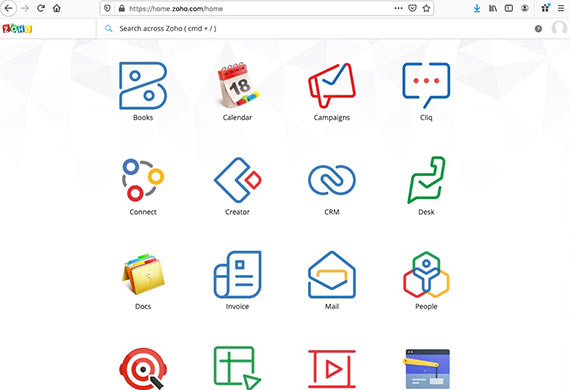
Organize documents and collaborators through programs like zoho

Using such an app allows you to reduce the number of files and documents stored on your local computer hard drive.

Note: Many of these programs offer free trials/accounts with limited services and memory that can easily be upgraded to premium accounts.

Organize Projects, Tasks, and Contributors - Sometimes referred to as “to-do list software,” task management software helps an organization better centralize and prioritize the flow of projects while evaluating team members’ efficiency. Some of the top-rated task management software include:

  • Asana
  • Monday.com
  • Smartsheet
  • ProjectManager
  • Teamwork

Task management software’s value becomes evident when you have contributors working on multiple projects remotely, out of state, or internationally.

Note: Most task management software can be synchronized with your digital calendar, allowing you to set alarms, reminders, and task notifications.

Organize Your Time - For employees, entrepreneurs, and businesses of all sizes, time is among the most valuable assets. You can organize your time by:

  • Defining Goals. Having goals will help you focus your energy on identifying what needs to be done.
  • Identifying Your Priorities. Once goals are defined, the priority of tasks becomes clear. Completing these tasks moves projects forward.
  • Defining Time Blocks. Each day can be scheduled according to the tasks you have. When you assign time to a task, you generate a deadline, putting time limits on your tasks.

Organize your activities at work and at home by the time they take

Organizing your time at work is just as important as the time away from the workplace. Managing your time at work and home can result in the formation of healthy routines, such as:

  • Waking up early enough to prepare for and comfortably travel to your workplace
  • Completing assigned tasks throughout the day
  • Leaving work on time
  • Spending time enjoying a hobby or family activity
  • Going to bed early enough to allow for full and restorative sleep

Tip: Throughout your day, use the time designated for breaks and/or mealtimes to actually take the break or have the meal. When you get back to your work, you will likely spot things you did not see before or had glazed over in haste.

Eliminate Distractions from Your Workspace - Your focus and concentration are vital to your work efficiency and overall performance. Consider silencing or removing the following items from your workplace:

  • Cellphone/Electronic Devices (unless used to help you accomplish your tasks/goals)
  • Unnecessary gadgets or desk decorations
  • Music/Podcasts (instrumental or classical music can aid you in concentrating)

You may also want to consider ditching the snack and/or candy jar. Eat on your break time and avoid consuming unnecessary/unhealthy items.

When working remotely, it may be far more challenging to eliminate these and other distractions from home.

Working from home can be challenging with multiple distractions

How to Be More Efficient at Work

In this article, you discovered several ways to organize your workspace and multiple tools to help you build on workplace efficiencies.

By working in an organized manner, you can produce faster and more accurate results that support your team’s efforts.

When your workspace is cluttered and full of distractions, you risk being seen as a weak link, sloppy, and inefficient.

Sources:
today.duke.edu/2019/01/how-declutter-your-desk
sustainability.ncsu.edu/blog/changeyourstate/organize-your-desk-things-already/
cis.tennessee.edu/operational-excellence-continuous-improvement/5s-workplace-organization
computerworld.com/article/3262636/top-10-file-sharing-options-dropbox-box-google-drive-onedrive-and-more.html

Clash Graphics Print Shop Atlanta Flyer Printing

2233 Peachtree Rd NE Ste 202 Atlanta, GA 30309

(678) 235-3464

To view the original version on Clash Graphics, visit: https://www.clashgraphics.com/printing-tips/how-to-get-organized-at-work/

Monday, October 19, 2020

Top 4 All-in-One Laser Printer Reviews

Prevent making the wrong decision and wasting your money on a junk printer that can’t keep up with your needs. Knowing the features and capabilities of several all-in-one printers will help you determine which printer best suits your needs.

Laser printer features all in one functions to increase business efficiency in print fax scan and copy

clashgraphics.com gathered information about the top 4 all-in-one (AIO) or multi-function printers (MFP) to help you make well-informed decisions when searching for a printer for your home or business needs.

Top-Rated AIO Laser Printers

Laser printer technology, across major brands, has improved to a point where it is the peripheral features (or combination of features) that help you determine which laser printer is the best choice for your needs. Consider the following printers:

#1 - Brother MFC-L2750DW (Top Overall Value Printer)

This fully wireless, four-in-one printer can receive print jobs from any device with wireless capability. The printer also boasts NFC (Near Field Communication) technology, allowing you to print automatically from any device. This best overall printer can be found for $250. Also included in this top-rated AIO printer is:

  • Document scanning and saving
  • Single-pass duplex scanning (two-sided)
  • Scanned documents can be saved to cloud services
  • Can print significant quantities at low cost (high-yield cartridges)
  • Can be connected to an Alexa device for voice control
  • Can reach 35+ ppm (pages per minute)

Limitations include:

  • Cannot print in color
  • Slow to print the first page of a run
  • Poor photo printing quality

Watch this video to see this printer and its features.

Find this printer at:

#2 - HP Color LaserJet Pro M479fdw (Top Printer for Security)

The HP Color LaserJet Pro Multifunction M479fdw is outstanding for your home, small office, and when you need to print in bulk. This laser printer works at great speed either in black or color, and the cartridge's high yield means fewer replacements. This best in security printer can be found at just under $600. Other features include:

  • High-resolution scanning of documents and photos
  • The scanner is equipped with an automatic document feeder (ADF)
  • Performs duplex scanning
  • The design allows easy access to toner cartridges and trays
  • Excellent built-in wireless connectivity
  • Ensures data protection from hackers
  • Can reach 27-29 ppm

Limitations include:

  • Poor photo printing quality
  • Poor color accuracy
  • Does not support Bluetooth

Watch this video to see this printer’s ease of use.

Find this printer at:

#3 - Canon Color imageCLASS MF743Cdw (Top Mid-Sized Printer)

This Canon AIO color laser printer is an excellent fit for busy office environments requiring extensive paper handling (up to 4,000 pages/month), fast performance, and low cost per page. This best mid-sized printer can be found from $370 to $400. More of this printer’s features include:

  • Large, 5-inch color touch screen
  • Fast color printing
  • Fast scanning and copying speeds
  • Multipage duplex copying
  • High capacity toner cartridges
  • Wireless security system
  • Rated at 28 ppm

Limitations include:

  • Large printer size
  • Slow duplex printing

Watch this product video from CanonUSA.

Find this printer at:

#4 Canon imageCLASS D1650 (Top Printer in Speed)

The Canon ImageCLASS D1650 is a monochrome laser printer capable of high-volume printing. Designed for small or medium-sized businesses, this AIO laser printer is one of the fastest machines, of its class, on the market today. This best for speed printer can be found from $425 to $445. More of this printer’s features include:

  • Excellent built-in wireless connectivity
  • Expandable paper tray (holds up to 550 sheets of copy paper)
  • Can scan up to 70 black & white/26 color images per minute (ipm)
  • Single-pass duplex scanning
  • Can convert scanned pages into text-searchable documents
  • Rated at 45 ppm

Limitations include:

  • High cost per page

Watch this video for a detailed rundown of this laser printer’s functions:

Find this printer at:

AIO Laser Printer Features

The name “All-in-One” or “Multi-function Printer “ implies that said printer comes with the following functions:

  • Printing
  • Faxing
  • Scanning
  • Copying

Today’s multi-function printers can accomplish almost everything you may need for your home or business printing needs. The following features should be used to determine the best suitability for your printing needs:

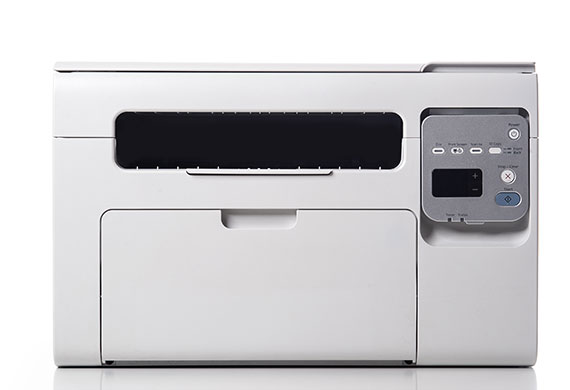
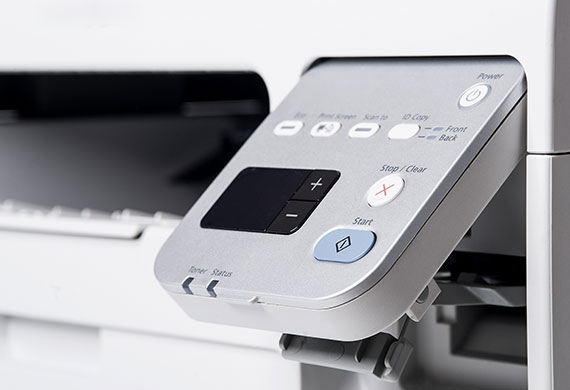
All in one laser printer with smart panel for office and business use

Document Sharing - Scanning, copy, and fax functionalities are a must. The right device will allow you to connect to a secure network, seamlessly sharing your documents without switching devices.

Wireless - A printer that can connect to a wireless network can act as a stand-alone device, eliminating the need for a dedicated computer to function. The following systems allow you to print from virtually anywhere: Apple AirPrint, Google Cloud Print, your devices, USB memory sticks, and email accounts.

Automatic Duplexing - Automatic duplexing allows you to print front and back without physically flipping pages and re-feeding them into the printer. Some models do this more quickly than others.

Pages Per Minute (PPM)/Printing Speed - If using 5 percent page coverage as a standard, black and white printing on an ordinary desktop laser printer will range between 20 to 40 pages per minute. High-end desktop laser printers can print more than 50 pages per minute, without breaking stride.

Laser vs. Inkjet - If your printing intent is business-oriented and text is your principal need, a laser printer should suit your need. If your priority is printing images and home use, an inkjet may be more suitable for your needs.

Laser printers share much of the same technology with copy machines, printing an entire page at a time. The following occurs within the printer:

  1. A laser scans the surface of a light-sensitive metal (imaging) drum, creating patterns of static electricity.
  2. Fine toner powder sticks to the statically charged areas.
  3. The mechanism presses paper against the drum.
  4. The toner binds to the sheet, producing a printed page.
  5. The page is heated to cure (set) the toner and ejected.

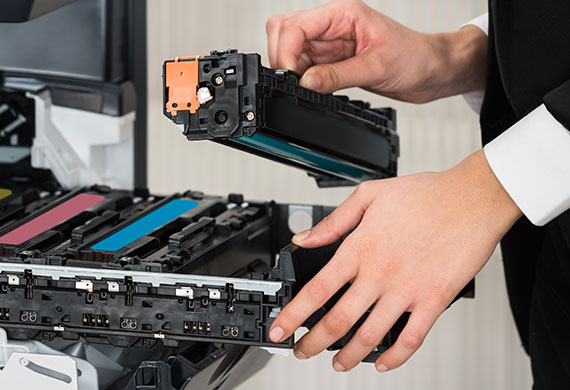
AIO laser printer toner cartriges

This technology allows the speed of desktop laser printers to reach 50 or more pages per minute, while commercial models can print at rates up to 1,000 ppm.

Best AIO Laser Printers

In this article, you discovered information about four of the top-rated all-in-one laser printers to help you acquire a printer that meets your personal and business needs while accompanying your growth.

Buying the right printer will help you produce faster, more efficient results at home, in the office, or while working remotely.

Keeping a printer with a slow ppm or shabby print quality can slow you down and result in business loss from poor presentation.

Sources:
brother-usa.com/products/mfcl2750dw
usa.canon.com/internet/portal/us/home/products/details/printers/color-laser/color-imageclass-mf743cdw/color-imageclass-mf743cdw
pcmag.com/reviews/canon-imageclass-d1650
store.hp.com/us/en/pdp/hp-color-laserjet-pro-mfp-m479fdw
smallbusiness.chron.com/comparison-printer-speeds-60220.html

Clash Graphics Print Shop Atlanta Flyer Printing

2233 Peachtree Rd NE Ste 202 Atlanta, GA 30309

(678) 235-3464

To view the original version on Clash Graphics, visit: https://www.clashgraphics.com/printing-tips/all-in-one-laser-printer-reviews/

Wednesday, September 16, 2020

How To Create a Small Business Rewards Program

Graduallly losing customers is referred to as attrition, and it works against your growth efforts, undermines your advertising investment, and effectively costs you revenue. By knowing how to create and use an effective rewards program, you can increase customer retention, boost your customer’s lifetime value, and generate consistent repeat business.

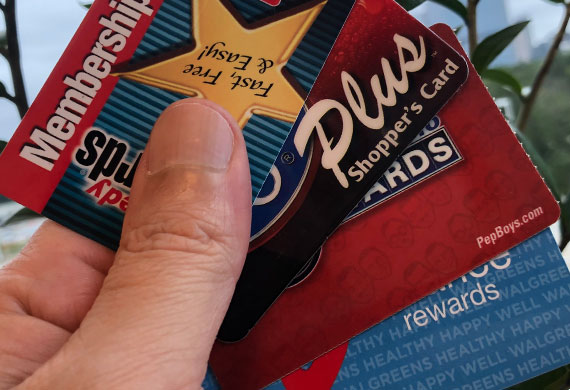
Customer loyalty rewards cards

clashgraphics.com gathered information about rewards program types, deciding which one best fits your business, and how to promote it.

Types of Business Rewards and Loyalty Programs

Regardless of your business’s size, an innovative approach to a customer loyalty program can result in significant value for your business and customers. Consider the following:

Punch Card Rewards

Tried and true, punch cards represent the innovative beginning of a system to generate repeat business. Brilliant and straightforward, you give a branded card to all of your customers, then punch it or stamp it each time they make a purchase. When the customer receives X number of punches or stamps, they receive a “free this” or a “discounted that,” along with a new card.

Customer loyalty punch card rewards

This type of rewards program comes with the following strong points:

  • Punch cards are simple to print, implement, and use
  • No POS or system upgrade is required
  • Customers get one punch/stamp for each purchase or amount of money spent
  • Receive a predetermined number of punches and get rewarded
  • Customers are well-accustomed to this model

Drawbacks of a punch card rewards program include:

  • Since punch cards aren’t part of an electronic system, customer information, including email addresses and phone numbers aren’t as easy to collect
  • Customers may lose or throw their card away
  • Some people don’t like carrying extra items in their wallet or purse
  • In the digital age, punch cards may seem obsolete

Even with such drawbacks, punch cards are an effortless and inexpensive way to start rewarding your customers for their loyalty.

Membership Card Rewards & Loyalty Program Benefits

A step up from punch cards, membership cards offer greater insight into customer frequency and purchasing habits. Frequently used in casinos, grocery stores, pharmacies, gas stations, and convenience stores, your customers receive a scannable credit card-sized card and/or keyring tag presented at checkout.

Customers are encouraged to register their membership cards online for better deals and promotions. Thus, customer data collection is greatly facilitated.

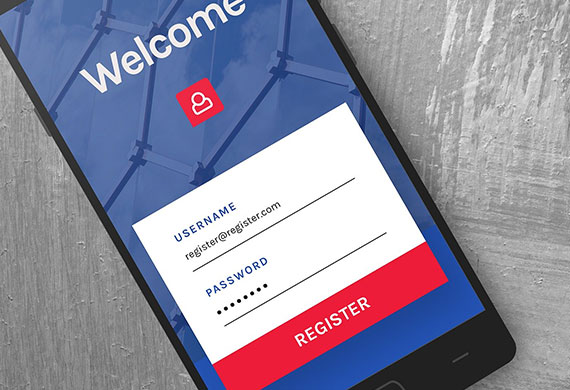
Customer rewards mobile phone registration

The use of membership cards requires your POS system to be synced with the chosen rewards platform. With this system, customers can scan or swipe their loyalty card, enter the associated phone number or email to access their discounts or benefits.

Tip: Some membership cards allow customers to collect points and move through membership tiers. The higher the tier, the more benefits, discounts, and access to promotions or events.

Email or Phone Number Rewards

This type of rewards program solves the problem of carrying a physical card. You can register customers to your loyalty program through your POS system as they checkout.

If your business sells merchandise online and off, virtual systems like this allow your customers to combine their in-store and online purchases.

Online Rewards Program Registration

In today’s market, many companies operate solely online. Likewise, their rewards programs do too. Like other rewards programs, customers earn and use points for promotions, discounts, and can gain access to higher promotional tiers.

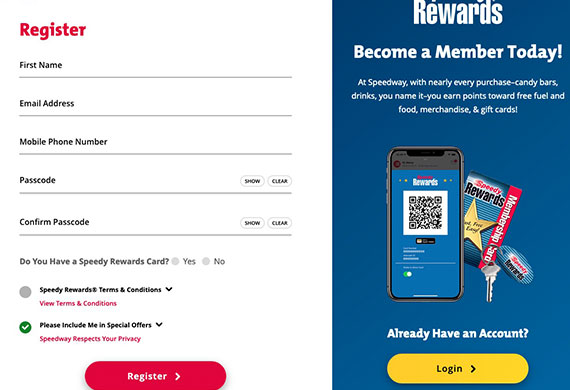
Customer loyalty online registration

Requests to join these programs most frequently appear during checkout when your customer is prompted to sign in or create an account to start earning rewards.

Mobile App Rewards Program

You can create a customized mobile app with a third party’s assistance, or even through your online POS system. This helps you collect and organize customer information while having access to your customer’s activities, purchase history, and reward status.

This approach facilitates your tech-savvy customers’ online experience, increasing the potential for more purchases.

Rewards Program Structure

Once you determine the type of rewards program best suits your business, you can structure it to make sense for your customers and your business needs. Consider the following:

Rewards Based on Points - This structure is straightforward and easy to understand. Whether points are based on purchase amounts, visits, or ticket values, your customers are easily encouraged to make multiple visits resulting in many smaller purchases in a short period of time.

Rewards Based on Tiers - You can reward your customers based on tier levels, encouraging people to increase their purchases to get more benefits. Since tiered systems offer rewards, promotions, and benefits in levels of spending, customers who spend more have access to “better” deals.

Fee-based Rewards Program - In this type of rewards program, your customers pay a monthly or annual fee to access the program’s benefits and promotions.

Points and tier-based rewards programs are more popular among small businesses. They don’t present any barriers for customers to sign up. Businesses are gravitating more towards email, online, and mobile app types due to the minimal effort required by customers to participate in them or keep up to date.

Small Business Rewards Program Software

There are numerous rewards programs, and selecting one that meets your business’ needs may present a challenge. When doing your research, consider the following attributes:

Universal Customer Experience - Your customers should have access to your rewards program in-store, online, via PC, Mac, mobile, or other devices.

Customer loyalty mobile rewards

Customized Rewards - Rather than one-size-fits-all, your rewards can be structured to let your customers determine which rewards they want to access.

Ease of Use - Younger tech-savvy customers may reject the idea of using punch cards and key tags, while older generations may shy away from using an app or online program. For your business to capture customers across generations, select a system that makes the signup process and use as simplified as possible.

Data Segmentation - As your customer base grows, you should be able to group your customers into categories. This ability allows you to more efficiently market specific products to those customers more inclined to purchase them.

Information Integration - Your rewards program should have the ability to retrieve and deliver data seamlessly across your business’ devices and software.

The following software options can help a small business grow their revenue and foster lasting customer relationships by building tailored rewards programs:

Tip: Before settling on any rewards program software, know your operating/POS system, and make your selection from those software options that will function seamlessly on your system.

How To Promote Your Rewards Program

Once you have your rewards program up and running, you’ll need to start spreading the word. Use the following to draw your clients to your rewards program:

  • Use in-store signage including flyers, window signs, posters, and banners
  • Make sure signage is clear and enticing at POS
  • Advertise it on your business website and provide a way to easily opt-in online or by downloading your app
  • Educate your employees on how to incentivize customers to signup
  • Use picture and video on social media platforms to promote your new rewards program

If your customers aren’t aware of your rewards program, chances are they won’t use it. The potential payback from your rewards program warrants investing in an aggressive marketing strategy.

Rewards Programs That Grow Your Business

In this article, you discovered several types of customer rewards programs, how to find one that fits your business, and promoting it to your customers.

Creating and using a customer rewards program for your business can increase your revenue, customer satisfaction, and generate repeat business.

Without rewarding your customers for their patronage, you risk losing them to your competitors and the revenue they take with them.

Sources:
sba.gov/taxonomy/term/15051?page=25
shopify.com/blog/loyalty-program
us.accion.org/resource/setting-loyalty-rewards-program-why-and-how/
business.org/marketing/sales/create-effective-customer-incentive-program/
archerytrade.org/create-a-profitable-customer-rewards-program/

Clash Graphics Print Shop Atlanta Flyer Printing

2233 Peachtree Rd NE Ste 202 Atlanta, GA 30309

(678) 235-3464

To view the original version on Clash Graphics, visit: https://www.clashgraphics.com/printing-tips/small-business-rewards-program/

Monday, August 17, 2020

What is Split Testing (Website)

Prevent underperforming web pages and marketing campaigns to cause your business to lose money and potential sales. By knowing how to test and optimize your website's conversion rates, you can boost your revenue and subsequently grow your business.

Split AB testing to determine the performance of website versions

clashgraphics.com gathered information about split testing, why you should run a split test, and the simple steps to follow.

The Definition of Split Testing

Split testing, also known as A/B testing, helps marketers and business owners increase website conversions and sales. It accomplishes this end by comparing two versions of a webpage or landing page (the original or “control,” and a variation), and through a testing process clearly see which performs better.

Under optimal conditions, there will only be one difference between the two pages, so the results can better identify the cause behind any change in performance. To give you an example, say you want to know if having a video at the top of your webpage is more effective than just having an image, you would create 2 versions of the same webpage, with the only difference being one shows the image, and the other the website. Thus, when comparing the conversion rate of these 2 variations over a period of time, you would know the clear winner because the only difference would be this (image vs video) variable.

Split testing is the performance of a controlled experiment. This methodology is used for deriving results from more than just web pages. The concept of split (A/B) testing began with direct mail and print advertising, which were tracked using different phone numbers for each version of the advertisement.

Nowadays, you can split test banner ads, text ads, television commercials, printed media campaigns, email subject lines, and any other marketing strategy. All you need is a hypothesis (ie. what you want to test), a control version, and a variation.

What Can Be Split Tested?

You can test just about anything that your visitors see and/or hear. The following are some of the more commonly tested elements:

  • Ad locations and sizes
  • Product images
  • Product descriptions
  • Product prices
  • Call-to-action locations/colors
  • Recommended content
  • Outgoing links
  • Checkout steps/process
  • Content length
  • Social sharing buttons
  • Site search

This is a shortlist of the elements you can test. Your conversion rates can be influenced by anything your visitors interact with. Split testing will aid you in determining what works best and in what position it is most effective.

Website design variations for split AB testing

Why Should I Run Split Tests?

If you are to comprehend why your visitors are not converting, you must ask yourself which content is dissuading your visitors from converting. Let’s face facts, intuition isn’t enough and your bias will cause you to lose money in most situations. Ultimately, what matters is the effect on your visitors, their behavior, and the numbers they will provide you a clear answer.

Split testing gives conversion rates to two different website versions

By performing a split test, you allow your visitors to persuade the decision-making process for changes to your control page. Results obtained from split testing will help you know which version they interact with the most, and, which information and design transforms them into first-time or repeat customers.

Simplified, split tests provide data on your customers / website user experience to help identify friction, barriers to more sales, and to optimize your conversion funnel, eliminating guessing and lost revenue.

Split Testing Steps

Since data and numbers will guide you to the answers, having data analytics software connected to your website is a prerequisite. Once you have this covered, start with the changes that have the potential to make a significant impact on your conversion rate, and follow these steps:

Step 1 - Define Your Purpose

Study your website data. What weaknesses can you determine from your current metrics? For example - If your webpage 'bounce rate' is too high, consider that your headline and feature image may not be captivating enough to keep your visitors interested. Or perhaps, the messaging in your advertising and landing page don’t match, leaving your visitor feeling misled or confused.

Step 2 - Develop Your Plan

Once you have defined a clear sticking point, identify the possible ways it can be improved. For this example, let’s say you want to lower your bounce rate. By formulating a more compelling headline and using a more relevant feature image, your intent is to persuade your visitor to read more of the webpage / offer, ultimately leading to more conversions.

Using split testing metrics, you can confirm or reject the effectiveness of such change.

Step 3 - Determine a Sample Size

You’ll need to determine your sample size to help you reach statistical significance. The term “statistical significance” refers to the number of visits to each page (control and variation) needed to reach a reasonable conclusion about your results.

Essentially, think and determine how many customers need to visit and use each version of your webpage test before you are able to make a decision and choose a clear winner based on the data (ex. 5 people choosing version A of your test wouldn't provide the same confidence as if 500 people chose version A)

You can avoid a sampling error by increasing the amount of traffic you drive to your control and variation equally, and making sure that you are driving traffic from your ideal and intended target audience. In simple terms, if you are selling car parts on your website, make sure your traffic pool / visitors are coming from a source of car enthusiasts and owners.

Step 4 - Avoid Outside Influencers

Take the time to scrutinize things like traffic sources and referring ads. To ensure the accuracy of your test, these traffic sources must be the same for both pages (A vs. B). Given different traffic sources can create misleading data, you need to be be alert as to other variables that could affect the integrity of your test. The following factors can severely skew your test results:

  • Calendar events like Christmas, Easter, Halloween, etc.
  • Website outage or server problems
  • Positive or negative news about your product, website, or business
  • Broken links or inactive CTA buttons
  • Significant changes to search engine algorithms
  • Application or removal of search engine penalties
  • Changes in control or variation settings
  • Changes in the purpose or plan of your test

While addressing potential outside influences before testing is highly recommended, such obstacles can appear unexpectedly so be on the lookout for anomalies in the data. They should be taken into consideration before and after running your test.

Step 5 - Drive Traffic to Your Pages

Unless you are split testing your traffic sources or ads, you should make sure the traffic, sent to your control and variation, is coming from the same source/demographic.

Keep running your test until you reach the sample size, as determined in step 3. If you reach the sample size in less than seven days, continue the test until the week is complete. Different days of the week significantly impact conversions, and this information can be helpful to your current and future campaigns.

Split test for conversion rates to determine a better performing version of a website

Step 6 - End Your Test and Analyze The Data

Once your test is complete, you can make decisions (based on the data) about changes to your control page. Keep in mind that if the 'lift' (increased outcome) from your variation was smaller than your minimum target/goal, you might need to rerun the test for a longer period of time, or with a different variation.

If your variation failed to produce a better result / 'lift', or it was out-performed by your control, don’t consider this a failure. You have just discovered a component that doesn’t impact conversions on your control. Return to step 1, identify a new purpose, and run your next test.

Split Testing To Improve Conversion

In this article, you discovered what split testing is, the value it can contribute to your business, and the steps involved in running effective tests.

By running split tests, you can quickly identify and change factors that increase visitor conversions. Likewise, you can verify those attributes that do not affect conversion rates.

Without running split or AB tests, you may be forfeiting revenue and losing opportunities to grow your business.

Sources:
hbr.org/2017/06/a-refresher-on-ab-testing
mailchimpapp.org/marketing-glossary/ab-tests/
hbr.org/2016/02/a-refresher-on-statistical-significance

Clash Graphics Print Shop Atlanta Flyer Printing

2233 Peachtree Rd NE Ste 202 Atlanta, GA 30309

(678) 235-3464

To view the original version on Clash Graphics, visit: https://www.clashgraphics.com/printing-tips/what-is-split-testing-website/