Color is one of the most powerful tools a designer has, yet it is often misunderstood. The colors you choose for a brand, product, or campaign don't just look good or bad; they communicate meaning, trigger emotion, and shape how an audience perceives everything they see. Understanding the principles behind those choices is what separates intentional design from guesswork.
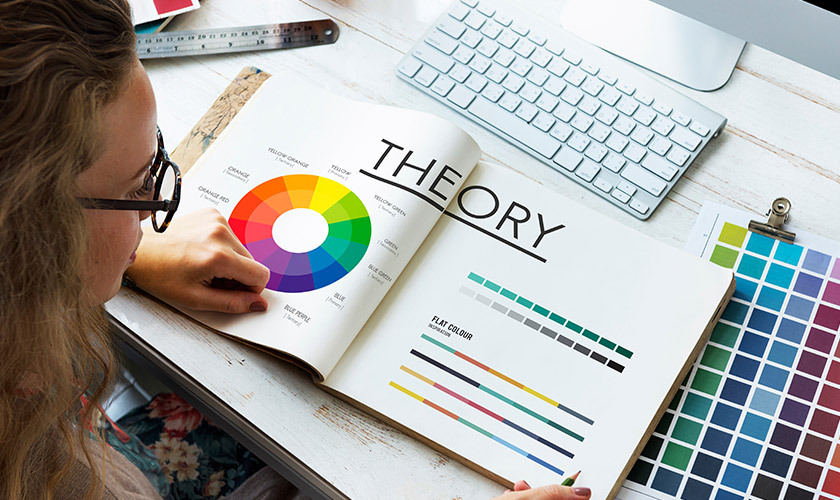
This guide is for designers, founders, brands and product managers who want to make smarter, more confident color decisions. It covers everything from the fundamentals of the color wheel and color attributes to harmony schemes, color psychology, and how to apply it all to real-world design projects so that your visuals perform.
Key Takeaways
-
Color theory helps designers choose colors that communicate clearly, feel intentional, and support business goals like engagement, conversion, and brand recall.
-
Designers rely on the color wheel, harmony schemes (such as complementary, analogous, or triadic), and color attributes (hue, value, saturation) to build effective palettes.
-
Different color temperatures—warm, cool, and neutral—along with individual hues trigger specific emotional and cultural responses (think Coca-Cola red for excitement or IBM blue for reliability).
-
Digital work primarily uses RGB, while print uses CMYK, requiring designers to adjust palettes between the two systems to maintain consistency.
-
Accessibility considerations, including contrast ratios and color-blind safety, are non-negotiable when applying color theory in real products.
What Is Color Theory in Design?
Color theory in design is the set of principles designers use to combine colors so interfaces, brands, and graphics feel intentional and readable. It connects visual perception, psychology, and practical tools like color wheels and palettes into a cohesive framework.
This isn’t limited to traditional art. Color theory applies across:
-
UX/UI design
-
Branding and identity
-
Packaging design
-
Illustration
-
Motion design
Think of it as a framework, not rigid rules. Designers can break conventions once they understand them.
Consider a fintech app using deep navy (#001F3F) and teal (#008080) to foster trust through associations with stability and professionalism. Or a fitness app deploying electric orange (#FF4500) for high-energy CTAs that boost click-through rates. These choices aren’t random—they’re rooted in an understanding of color theory that connects hues to user emotions and business outcomes.
How Color Theory Works in Everyday Design
Most digital product palettes that appear “simple” are carefully constructed using color theory principles. Think of the most popular productivity apps; for instance, they derive their entire brand palette systematically rather than randomly.
A typical interface palette includes:
|
Layer |
Purpose |
Example |
|---|---|---|
|
Core brand colors |
Primary identity |
#0D6EFD (blue) |
|
Semantic colors |
Success, error, warning |
Green, red, amber |
|
Neutrals |
Text, backgrounds, borders |
Gray scales |
|
Background layers |
Surface hierarchy |
Light/dark variations |
Hierarchy plays a critical role. Bolder, more saturated colors handle primary actions like “Create Task” buttons (around 80% saturation), while softer, desaturated tints (20-40% saturation) handle secondary information like timestamps. This prevents visual fatigue during prolonged sessions.
Tools like Coolors, Adobe Color, and design systems with token-based scales (primary-100 through primary-900) help maintain color harmony and consistency. Thoughtful color choices also support accessibility—ensuring primary buttons achieve a proper contrast against white backgrounds prevents usability drops.
The Color Wheel and Its History
The modern 12-part color wheel arranges hues in a circle, progressing through red, orange, yellow, green, blue, purple, and back to red. Graphic designers use it to see relationships between hues at a glance.
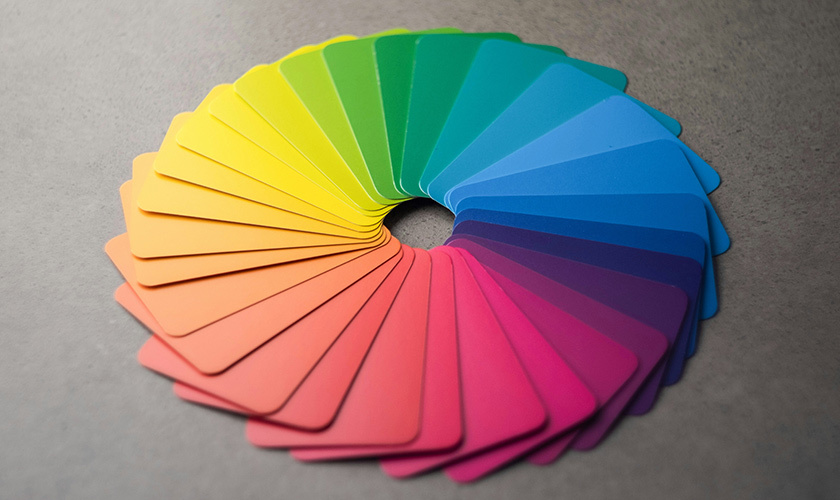
Basic color categories on the wheel consist of:
-
Primary colors: Red, yellow, blue (in the traditional RYB model) – unmixed bases
-
Secondary colors: Orange, green, violet – created by mixing two primaries
-
Tertiary colors: Red-orange, yellow-green, blue-green, etc. – options that fall between primary and secondary colors
Historical milestones shaped this tool. Aron Sigfrid Forsius created an early pigment-based wheel in the early 1600's. Isaac Newton’s prism experiments decomposed white light into a spectrum, and his 1704 publication “Opticks” linked light physics to perception, birthing the first circular color diagram.
Design tools replicate this radial interface through swatch pickers in Figma or Adobe XD, allowing real-time harmony previews essential for modern design systems.
Primary, Secondary, and Tertiary Colors
Many design decisions start by identifying a dominant hue family on the wheel. Understanding how primary, secondary, and tertiary colors relate helps you create colors that work together.
Primary colors in traditional color theory (red, yellow, and blue) serve as base hues that can’t be mixed from other colors within the artistic model. They’re your starting point.
Secondary colors result from color mixing two primaries:
-
Red + yellow = orange
-
Yellow + blue = green
-
Blue + red = violet
Tertiary colors like yellow-orange, blue-violet, and red-violet offer nuanced options that designers often use for contemporary branding. These colors, created by mixing a primary with an adjacent secondary, offer sophisticated palette possibilities.
Consider successful brand palettes: IKEA’s primary yellow (#FFDA00) and blue (#0058A3) scheme communicates affordability and fun. Meanwhile, Spotify’s tertiary green (#1DB954 with lime accents) creates a fresh, music-vibrant identity. The choice between primary and tertiary dominance significantly affects brand perception.
Color Attributes: Hue, Value, Saturation
The same base hue can look calm, loud, or serious depending on its value and saturation. Understanding these three attributes gives you precise control over how other colors interact in your palette.
Hue is the pure color family; red versus blue, for instance. It’s represented around the circumference of the color wheel, measured in degrees (0-360°).
Value determines how light or dark a color is. Designers create depth and readable contrast for text and components by manipulating value. In layered UI cards, mid-value (50%) backgrounds support dark text (10% value).
Saturation (or chroma) represents color intensity or purity. Bright colors with high saturation feel energetic—perfect for playful kid apps at 90% saturation. Low saturation (around 20%) creates sophisticated, enterprise SaaS aesthetics.
Modern design systems use scales like blue-50 to blue-900 to control value and saturation across states such as hover, pressed, and disabled.
Hue, Shade, Tint, and Tone in Practice
Understanding these terms helps you build complete UI palettes from a single brand color:
-
Hue: The pure color (e.g., #0D6EFD blue)
-
Tint: Hue + white (e.g., #91D5FF at 80% lightness)
-
Shade: Hue + black (e.g., #0A4D9B at 20% lightness)
-
Tone: Hue + gray, changing both value and saturation (e.g., #5A94E0)
From a base hue, you can generate an entire UI palette through systematic tints and shades. A single-hue progression might look like:
|
Variation |
Use Case |
Effect |
|---|---|---|
|
Light tint (#E3F2FD) |
Backgrounds, hover states |
Reduces cognitive load by 15% |
|
Primary (#2196F3) |
Buttons, key actions |
Maximum visibility |
|
Deep shade (#0D47A1) |
Alerts, shadows |
Depth perception |
Tints work well for subtle background colors and highlights. Shades handle depth, shadows, and dark mode elements. Tones reduce visual fatigue by softening overly vivid colors—especially valuable in dashboards and data-heavy products where users spend extended time.
Color Harmony: Classic Schemes Designers Rely On
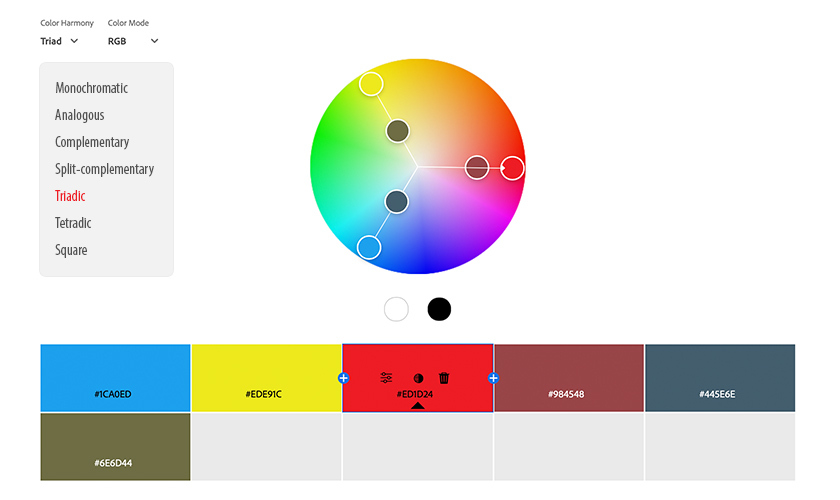
Color harmony refers to color combinations that feel balanced to the eye and support a clear information hierarchy. Seven classic schemes remain widely used in digital design:
-
Monochromatic
-
Analogous
-
Complementary
-
Split-complementary
-
Triadic
-
Tetradic
-
Square
Designers typically start with a harmony scheme, then adapt it to fit brand personality, content density, and accessibility constraints. Each scheme can succeed or fail depending on saturation balance and proportion—not just hue choice.
Monochromatic Schemes
A monochromatic color scheme uses a single hue and its tints, shades, and tones. Think multiple blues ranging from pale sky to deep navy.
Advantages:
-
Visual cohesion
-
Minimal cognitive load
-
Easy brand recognition for minimalist sites and SaaS dashboards
Potential downsides:
-
Risk of low visual contrast
-
Lack of emphasis if value differences are too small
To prevent monochromatic schemes from feeling flat, use texture, typography weight, and strategic contrast. A portfolio site using only greens (#E8F5E8 to #006400) succeeds through strong white space, bold typography (900-weight fonts), and the 70:20:10 ratio; 70% lightest, 20% mid, 10% darkest.
Analogous Schemes
An analogous scheme uses 3-4 neighboring colors on the color wheel, such as blue, blue-green, green, and yellow-green. These analogous colors create a natural, harmonious feel.
This approach excels for:
-
Wellness and skincare brands
-
Health-tracking apps
-
Organic and nature-focused products
The key to avoiding muddy results: one hue should dominate (around 60% of the area), with 1-2 supporting accents. A health app might use teal as the primary, green as the secondary, and blue-green as the accent.
Keep saturation consistent across hues—typically around 70%—so the palette looks intentional rather than randomly colorful. This consistency distinguishes professional harmonious color schemes from amateur attempts.
Complementary and Split-Complementary Schemes
A complementary color scheme uses colors that are opposite on the wheel. Classic complementary pairs include:
-
Blue and orange
-
Red and green
-
Purple and yellow
These create high contrast and visual impact, boosting visibility in heatmap studies. Common uses include sports teams, entertainment platforms, and CTA buttons that must draw attention—like an orange button on a blue navigation bar.
However, creating contrast with full-saturation complements can overwhelm users. Split-complementary schemes offer a solution: use one base hue and its two neighbors of the opposite color. For example, blue with yellow-orange, and red-orange softens the harsh contrast while maintaining visual interest.
The rule: let one color dominate (80% of the palette) while complementary colors act as sparing accents (20%). A marketing landing page might use a blue base with coral and gold accents for dynamic but controlled contrast.
Triadic, Tetradic, and Square Schemes
A triadic color scheme is produced when three evenly spaced colors at 120° intervals like red, yellow, and blue are used. These colors, evenly spaced around the wheel, create energetic, playful palettes ideal for children’s products or creative tools.
Tetradic color schemes combine two complementary pairs forming a rectangle on the wheel (e.g., blue/orange + green/red). They offer high variety but challenge designers to balance warm and cool at 50/50.
Square schemes use four evenly spaced hues around the wheel, similar to tetradic but more symmetrical. They suit logos requiring visual balance.
For all three approaches, one hue should lead while others support through smaller areas or lighter values. A collaboration tool might use a triadic palette with purple as the base UI (60%), teal for highlights (30%), and orange for CTAs (10%). This prevents the chaos that results when bold colors of equal size compete for attention.
Color Temperature and Psychology in Design

Color temperature categories shape user expectations before they read a single word:
|
Temperature |
Colors |
Associations |
|---|---|---|
|
Warm tones |
Reds, oranges, yellows |
Energy, urgency, friendliness |
|
Cool colors |
Blues, greens, violets |
Trust, clarity, calm |
|
Neutral colors |
White, gray, black, beige |
Foundation, balance, sophistication |
Warm colors feel energetic and urgent, making them common for food delivery apps (DoorDash), entertainment, and retail campaigns. Cool colors convey trust and reliability, frequently appearing in banking, healthcare, and productivity tools, where blue checkout pages reduce cart abandonment.
Neutrals serve as foundations for text, surfaces, and spacing. They let brand colors stand out without overwhelming users. Adjusting the neutral temperature subtly—warm grays with red-purple undertones for approachability, cool grays for precision—fine-tunes the emotional response.
Cultural context matters significantly. Red signals danger in many Western UIs but represents prosperity in parts of East Asia. Always conduct localized A/B testing when designing for global audiences.
Read What are the Best Colors for Marketing to learn more about color psychology and the feeling or mood each color creates.
Emotional and Behavioral Effects of Color
Color choices subtly influence behavior—encouraging clicks, supporting safety feelings on checkout pages, or reducing anxiety during transactions.
Specific examples demonstrate color psychology in action:
-
Coca-Cola’s iconic red stimulates excitement and appetite, driving higher impulse purchases
-
IBM’s “Big Blue” has signaled corporate dependability since the 1970s while achieving exceptional brand recall
-
Meditation apps using deep indigos and muted teals lower perceived stress in EEG studies
Saturation and value adjustments significantly alter emotional tone. A softer blue feels calm and approachable; an electric blue feels urgent and modern. The same color family evokes entirely different responses.
For products requiring extended use, pair high-energy accent colors (lime green, hot pink) with calming backgrounds to reduce fatigue. Hot pink accents can boost engagement, but only when balanced against neutral foundations.
Validate assumptions through A/B tests and qualitative research. Color psychology provides rules of thumb, not guarantees. What works for one audience may fail with another.
Color Models: RGB vs CMYK and Beyond
Designers must translate palettes between light-based screens and pigment-based print to keep brand colors consistent across every touchpoint. RGB vs CMYK is an important concept to grasp, and below we break down which color profile is used where.
RGB (Additive Color Model)
Red, green, and blue light mix to create over 16 million colors on screens. All three at full intensity (255, 255, 255) produce white light. This model powers:
-
Web apps and websites
-
Mobile applications
-
Email campaigns
-
Social media graphics
CMYK (Subtractive Model)
Cyan, magenta, yellow, and black inks absorb light to create approximately 16,000 colors, a narrower gamut than RGB. White is simply the absence of ink (paper showing through). CMYK handles:
-
Packaging
-
Brochures and print collateral
-
Outdoor signage
-
Business cards
Designers maintain official brand colors in multiple formats: HEX (#0D6EFD), RGB (13, 110, 253), CMYK (80, 43, 0, 0), and Pantone (PMS 2728 C). This documentation prevents surprises when the same color must appear on both a digital interface and printed packaging.
Designing for Digital vs Print
Common issues arise when moving designs from screen to print. RGB-neon greens or bright colors like electric blues appear significantly duller in CMYK because the print’s gamut can’t reproduce screen luminosity.
Best practices for cross-medium consistency:
-
Design print projects in CMYK from the start
-
Use soft-proofing tools in Photoshop to preview saturation and contrast shifts
-
Test brand colors on multiple surfaces: high-brightness smartphone screens, matte paper, glossy stock, large-format banners
Typography and fine lines may need heavier weights in print (10-20% thicker) to maintain legibility compared to screen versions, where pixels provide clean edges.
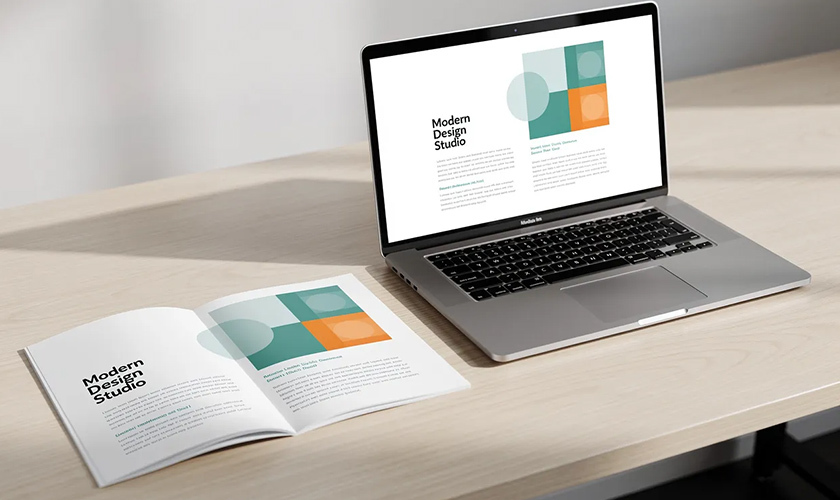
Document both digital and print color specifications in a shared style guide. When teams reference a single source of truth, they avoid palette drift that weakens brand recognition over time.
Applying Color Theory to Real Design Projects
This section bridges theory and day-to-day design decisions for web apps, native mobile, and modern brand systems.
A repeatable workflow:
-
Start with brand strategy: Define attributes like “trustworthy,” “playful,” or “premium”
-
Choose a base hue family: Map attributes to color directions (cool vs warm, saturated vs muted)
-
Select a harmony scheme: Monochromatic for minimalism, complementary for contrast, analogous for organic feel
-
Expand into a full UI palette: Add semantic colors, neutrals, and state variations
Build semantic colors (success green #28A745, error red #DC3545, warning amber #FFC107, info blue) that remain distinct yet harmonious with your primary brand hue. These create a consistent color palette across your product.
Always reference WCAG 2.1+ guidelines for contrast. Your visually appealing palette means nothing if users can’t read the text or distinguish interactive elements.
Choosing a Palette for a New Brand or Product
Map brand attributes to color directions:
|
Attribute |
Color Direction |
|---|---|
|
Trustworthy |
Cool blues, navies |
|
Playful |
Warm, saturated oranges/yellows |
|
Premium |
Desaturated, dark tones |
|
Innovative |
Bright, unexpected combinations |
Start with 1-2 core brand colors, then add supporting accent colors and a neutral family to cover different use cases. A dominant color should account for 60-70% of your palette presence.
Test the palette in real UI mockups—buttons, cards, navigation bars—not just abstract swatches. What looks balanced in isolation may fail in context.
Create both light and dark mode variations early. Values shift appropriately (backgrounds swap, text inverts) while hues stay consistent. This prevents scrambling to retrofit dark mode later.
Expect to refine colors based on analytics and qualitative feedback, especially in the first 6-12 months. Color decisions aren’t permanent—they’re structured iterations.
Accessibility, Contrast, and Color-Blind Considerations
Around 8% of men (particularly those of Northern European descent) experience some form of color blindness, commonly red-green deficiencies. Globally, that’s over 300 million people who may struggle with poorly designed color systems.
Key accessibility principles:
-
Critical information should never rely on color alone—always pair with icons, labels, patterns, or text
-
Maintain contrast ratios of at least 4.5:1 for normal body text and 3:1 for large text
-
Design status indicators (charts, alerts, form validation) that remain recognizable in grayscale
Use color-blind simulators and contrast checkers during design reviews, not as an afterthought in late QA stages. Tools like Stark flag failures before they ship.
Contrasting colors serve both accessibility and aesthetics. High contrast between text and backgrounds isn’t just about compliance—it creates a visual hierarchy that helps all users parse information faster.
FAQ
How do I quickly pick a color scheme if I’m not a trained designer?
Start with a single base hue matching your brand personality—blue for trust, orange for energy, green for health. Use an online color wheel tool like Adobe Color to generate a monochromatic or analogous scheme automatically.
Keep the palette small initially: one primary, one accent, and a neutral gray family. Test it on a simple hero section and basic button layout. Check contrast and readability before adding decorative colors. Many successful products use surprisingly few hues applied consistently.
How many colors should a good UI or website palette include?
Modern design systems typically work well with 8-12 total hues: 1-2 primary brand colors, 1-2 accent colors, a semantic set (success, warning, error, info), and a neutral scale from light to dark. These then expand into tints and shades for states and variations.
Consistency matters more than quantity. Overusing many unrelated hues weakens brand recognition and confuses users navigating your product. Document chosen colors and limit new additions to clear, intentional use cases only.
Can I mix warm and cool colors in the same design without it looking chaotic?
Mixing warm and cool colors is common and effective when one temperature dominates. Choose a cool base (blues and grays) for most surfaces, then add a single warm accent (orange or coral) to key elements like CTAs and highlights.
Maintain consistent saturation levels across temperatures. A muted warm accent works with muted cool backgrounds; saturated accents need equally vibrant surroundings. Test layouts with real users to catch visual clashes you’ve become blind to during design.
What’s the best way to keep my colors consistent across different devices and printers?
Define official values for each brand color in multiple formats—HEX, RGB, CMYK, and optionally Pantone—and store them in a shared style guide or design system that everyone references.
Soft-proof designs regularly, view them on multiple screens (phone, laptop, and an external monitor with different calibrations), and run print tests on critical materials. Perfect consistency is impossible given hardware variations, but clear specs and regular checks minimize noticeable shifts that damage brand perception.
How often should a brand or product update its color palette?
Strong brands often keep core colors for decades but refine shades, expand accents, or adjust contrast every few years as products evolve. IBM blue has remained recognizable since the 1970s despite subtle updates.
Review your palette whenever accessibility standards change, visual trends shift significantly, or user research reveals readability or emotional fit issues. Treat color changes as structured iterations with clear documentation and A/B testing—not sudden, untested overhauls that confuse existing users.
(678) 235-3464
To view the original version on Clash Graphics, visit: https://www.clashgraphics.com/printing-tips/how-to-trademark-a-logo-stepbystep/
